Saved link says “404 – page not found”? How to find the page again on iPhone
Published · 4 min read
When a saved link opens “404”, “Page not found” or “This content is no longer available”, the page has usually been moved, renamed or deleted by the website. Your bookmark did not break; the address it points to stopped working.
You can often still get the content back. This guide goes through the options in the order that works best, and ends with how to keep a copy so it cannot happen to the next article. Safari menus differ slightly between iOS versions, so use the closest label if yours differs.
Why does a saved link stop working?
- The website redesigned or moved its pages, and the old address now leads nowhere.
- The article was deleted, or turned into a members-only page.
- The address was copied with a typo or cut off, for example from a chat message.
- The whole site closed down.
A saved link only stores the address. It does not store the page. If the page disappears, the link goes with it, unless something kept a copy.
What should I try first?
- 1Check the address. Look for a missing character, or a trailing piece cut off by a chat app. If the link came from a message, ask the sender or open the original again.
- 2Go to the site’s home page and use its search. Articles are often moved to a new address, not removed.
- 3Search the web for the exact title in quotation marks. Other sites often quote or copy a popular article, and the original may be under a new address.
How do I find an archived copy of a deleted page?
The Internet Archive’s Wayback Machine keeps dated snapshots of many public web pages. Open web.archive.org in Safari, paste the dead address into the box and look at the snapshots it lists. Pick a date from before the page vanished.
It is not a guarantee. A page that was never captured cannot be shown, and social media posts and pages behind a login are often missing. The archive.today service also saves pages and sometimes holds a copy the Wayback Machine does not, so it is worth a second try.
How do I keep a readable copy so it never happens again?
A copy only helps if it was made while the page still existed. Three options:
- Save the page as a PDF in the Files app. It stays exactly as it looked. The steps are in how to save web pages to read offline on iPhone.
- Add it to Safari’s Reading List with offline saving turned on. It is a snapshot, but it lives in Safari.
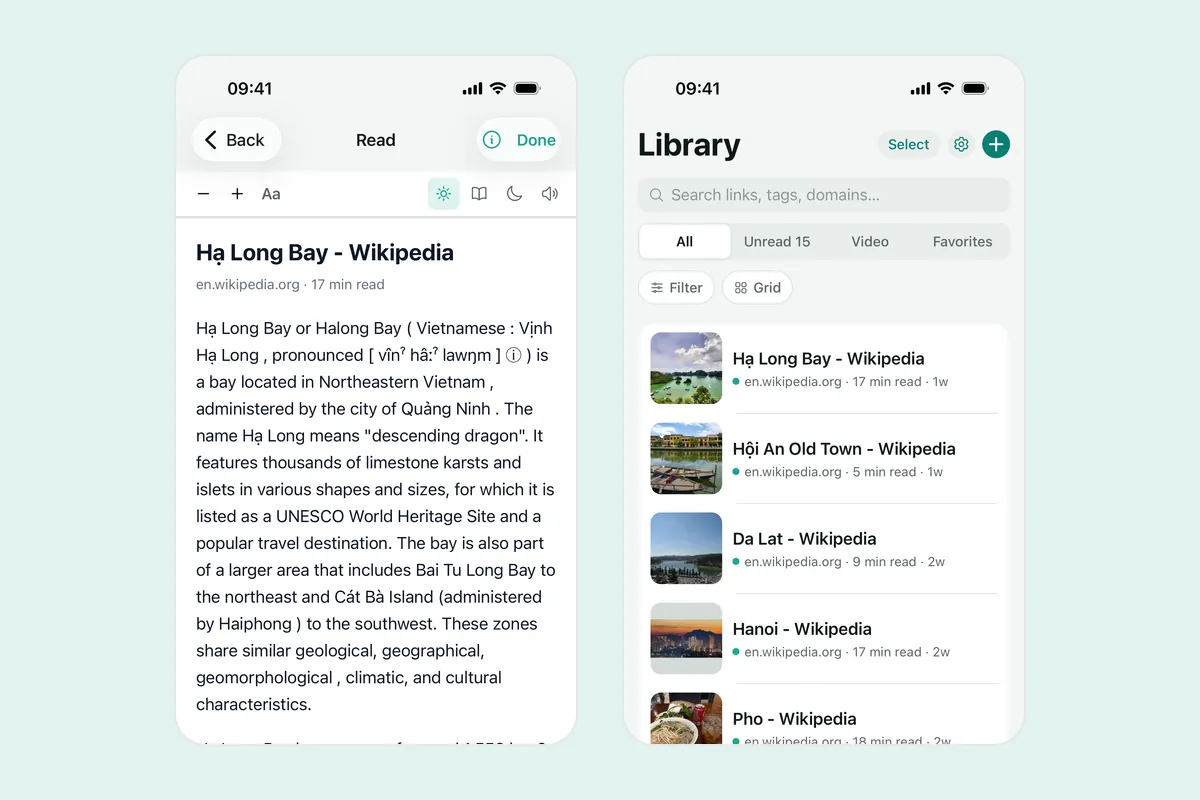
- Save it in an app that stores the article text. Linkeeper is an iPhone and iPad app that saves links from any app in one tap and keeps them in one organized, searchable library to read later. When you save an article, it also stores the article’s text on your phone where the page has readable paragraphs. Tapping that link opens the saved text in the offline reader, and it works even if the page has since been removed.
The Linkeeper copy is plain text: no layout and no images inside the article. It is stored only if the page had at least two paragraphs of readable text at save time, so video pages, social posts and pages that load their text with JavaScript usually open in the in-app browser instead, with no saved text.
What if the link was saved long ago?
If you saved it before the page was removed and the app stored its text, open the link and see whether the offline reader appears. If it opens the web page instead, no text was stored for it. To locate an old link in the first place, see how to find a saved link on iPhone.
If a saved link shows only an address and no title, that is a different problem, covered in saved link shows no title or preview.
Frequently asked questions
- Why does my bookmark say 404 on iPhone?
- The website moved or deleted the page. A bookmark stores only the address, so when the address stops working the bookmark does too. Your iPhone is not the cause.
- Can I recover a deleted web page?
- Sometimes. Paste the address into the Wayback Machine at web.archive.org and look for an older snapshot. It only works if the page was captured before it was removed.
- Does Safari keep a copy of a page I bookmarked?
- A normal bookmark stores only the address. The Reading List can keep an offline snapshot if Automatically Save Offline is on, and a PDF in Files keeps an exact copy.
- Will Linkeeper still show an article after the website deletes it?
- If the article’s text was stored when you saved it, yes: tapping the link opens that text in the offline reader. Links without stored text open the live page, which will show the error.