Save any link in one tap. Find it again instantly, even offline.
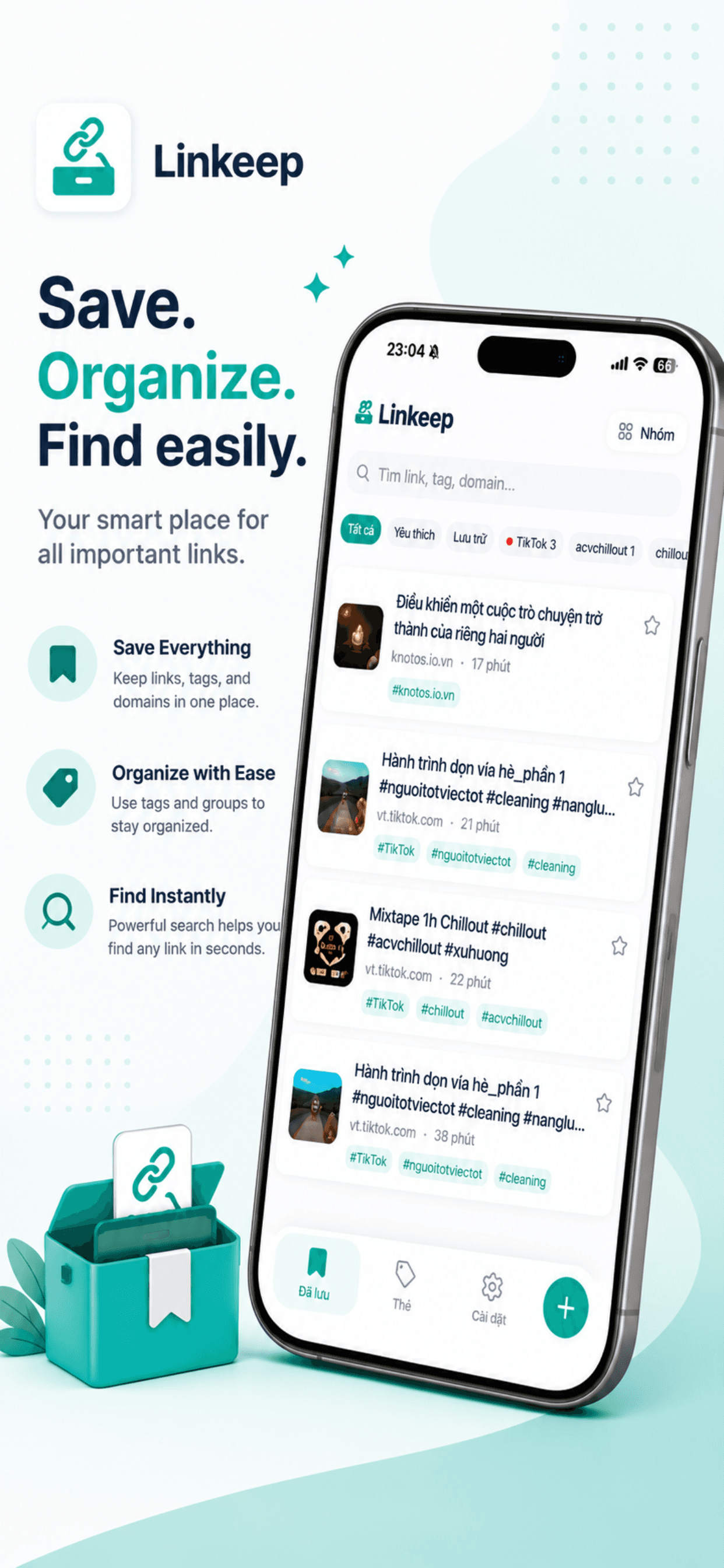
Linkeeper is an iPhone and iPad app that saves links from any app in one tap and keeps them in one organized, searchable library to read later. Tap Share in Safari, TikTok, YouTube or any other app and the link is captured without opening Linkeeper, with its title and preview image; everything lives on your device first, so search is instant even offline.
Linkeeper is built local-first: every link, tag, and collection is stored right on your device in an embedded SQLite database — no waiting on a network, no account needed to get started.
Signing in with Apple or Google is entirely optional, and only unlocks cross-device sync. Every other feature — saving, organizing, searching, reading — works fully without signing in.
Said plainly, upfront
Nothing is hidden: you can always export your entire library to a JSON file, sign out, or permanently delete your account and synced data in-app, any time.
8 THINGS LINKEEP DOES WELL
Everything you need to never lose a link again
From the moment you tap Share to the moment you find it again — every step is built for speed and staying organized.
01
Instant capture from any app
Uses your phone's native share sheet — a silent Share Extension on iOS, ACTION_SEND on Android — no app launch required, no interruption to what you're doing.
02
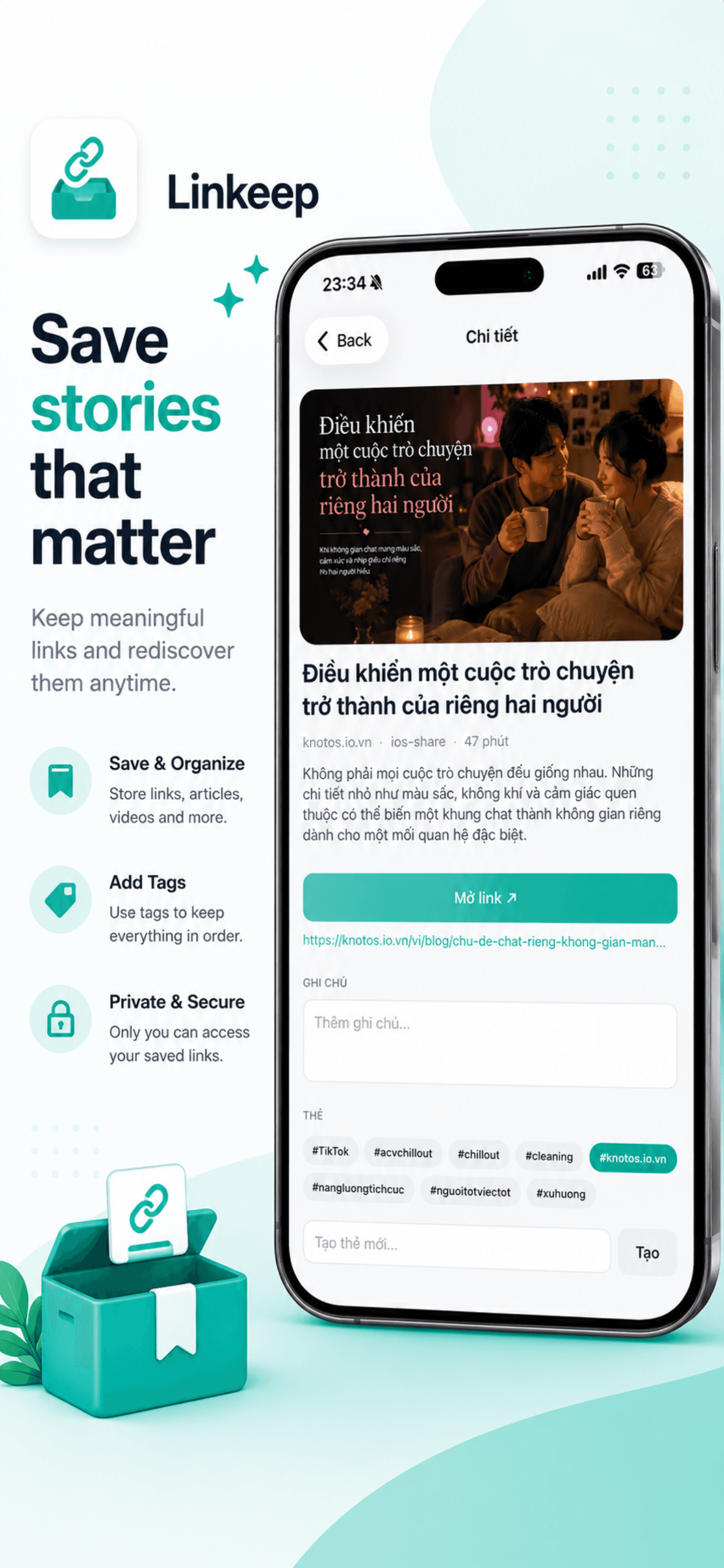
Automatic title & thumbnail
Client-side extraction plus platform-specific oEmbed for TikTok/YouTube, with a server-side fallback for sites that block mobile scraping, like Instagram/Facebook/Threads.
03
Tags & collections
Auto-detected tags by source and hashtag, plus manual many-to-many tagging. Group links into collections and share them as a read-only link — no account needed by the recipient.
04
Instant search, even without diacritics
A diacritics-folded local search index — typing "du lich" still finds "Du Lịch", no network required.
05
Read your way
Read/unread state, favorites, archive, an offline reader mode for articles, an in-app browser, bulk actions, and daily read reminders.
06
A private hidden vault
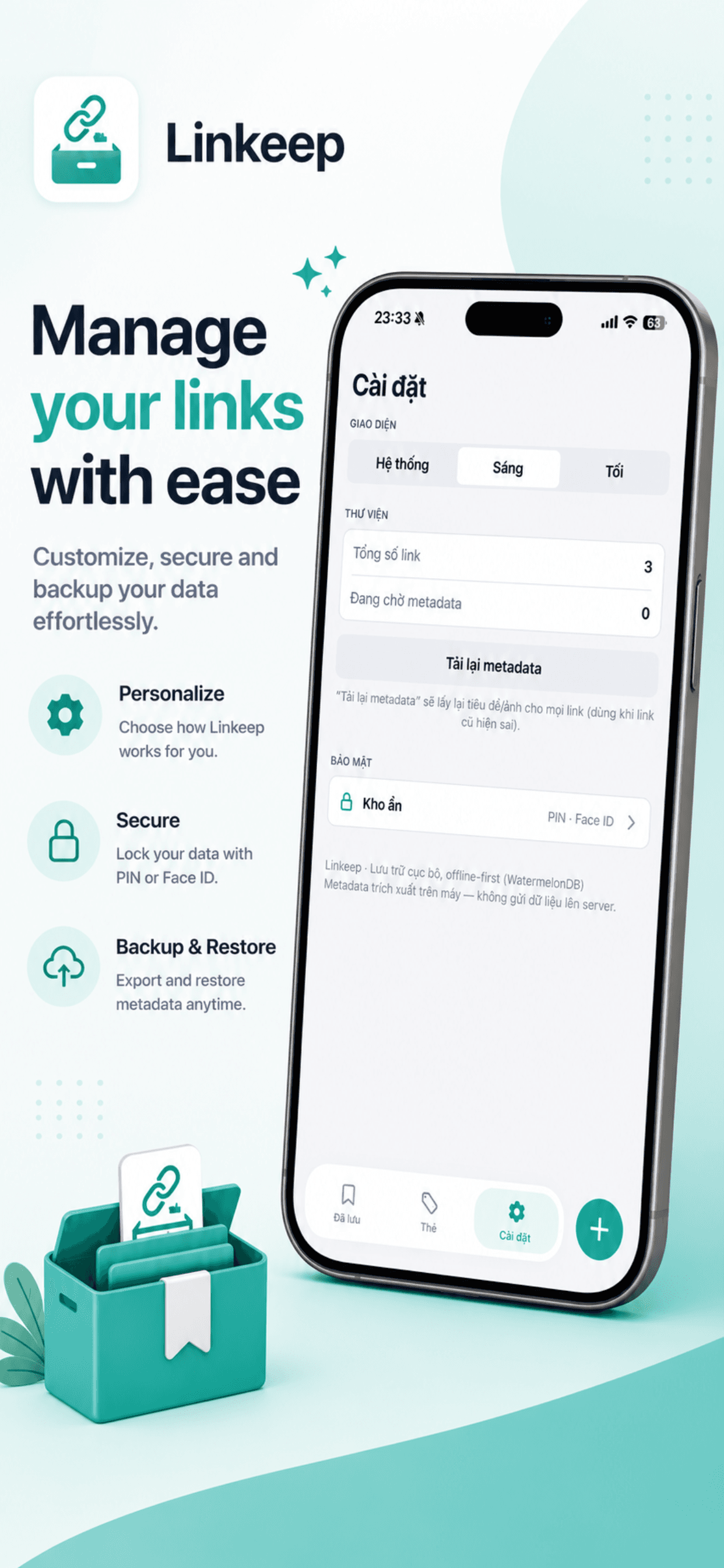
Sensitive links are locked behind a PIN plus Face ID/Touch ID; a privacy cover masks all content the instant the app leaves the foreground — not just the vault screen itself.
07
Optional cross-device sync
Sign in with Apple or Google to two-way sync links, tags, and collections. Sign out or permanently delete your account and server data any time.
08
Widget, backup & more
A home-screen widget shows your most recent saves; back up and restore your whole library to a JSON file.
No IDFA tracking. Ads only when you choose to watch one.
NEW IN VERSION 1.2 · iOS
Bring all your saves to one place
Move the links you saved in TikTok, Instagram, Pocket or your browser into Linkeeper, add links faster, and meet one link you never got to, every day.
01
Import from other apps
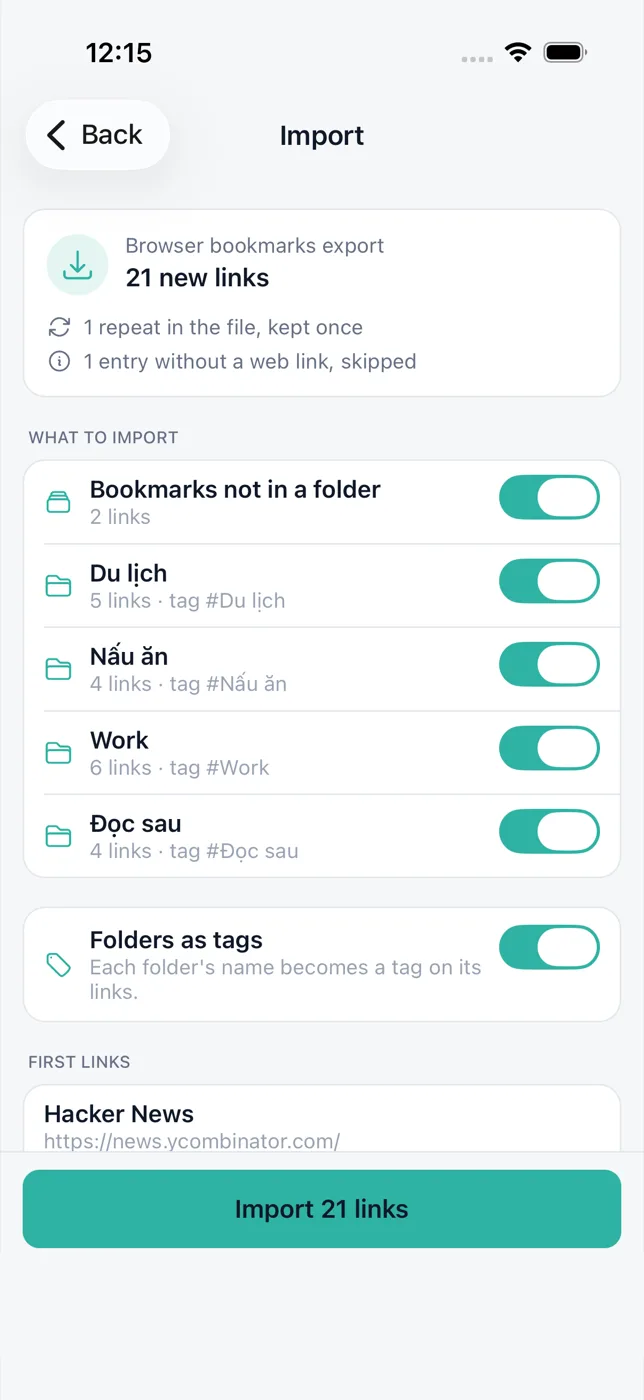
Pick an export from TikTok (favorite videos), Instagram (saved posts and collections), Pocket, or a bookmarks file from Chrome, Safari, Edge or Firefox. Each source comes with step-by-step instructions for getting the file.
Preview first, choose which groups to bring in
Duplicates skipped — within the file and against your library
Folders and collections become tags
Undo the whole import if you change your mind
02
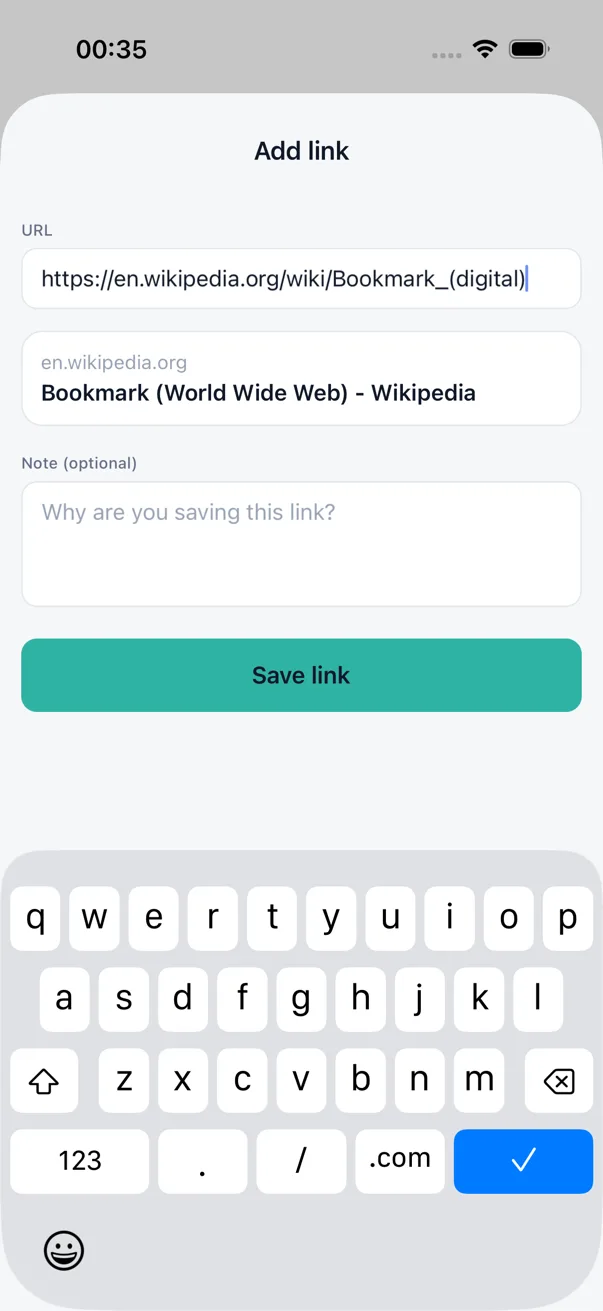
Smart Add
Copied a link? Open Add link and tap Paste. The title shows up right away, so you know you're saving the right page.
A Paste button that reads the clipboard only when you tap it
Instant preview of title and domain
A heads-up when the link is already saved, with a shortcut to it
A clear message when a link isn't valid
03
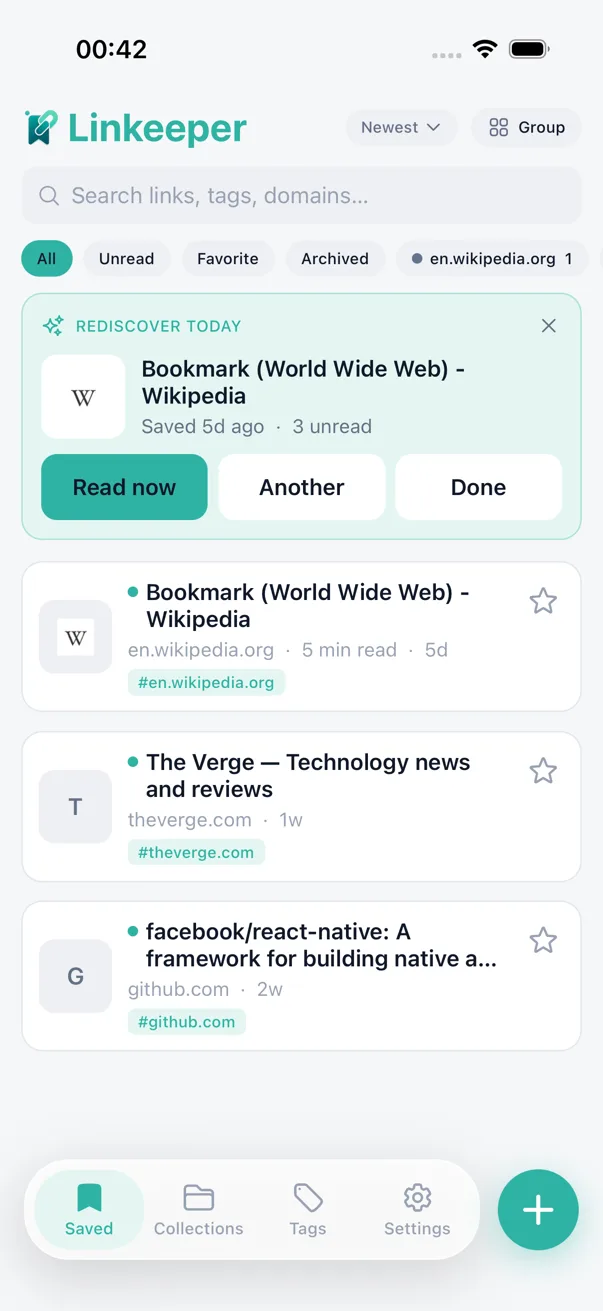
Rediscover
Each day, Home brings back one unread link you saved a few days ago — so your saves don't sink forever.
Read now, show another, or Done to archive it
Undo included, and you can hide it for the day
Never picks a link from the hidden vault
Your file never leaves your phone
Exports are read and processed right on your iPhone, then removed from the app's temporary storage — nothing is uploaded. Only the imported links enter your library, and they sync only if you've signed in.
BROWSER EXTENSION
Save from your browser, synced instantly
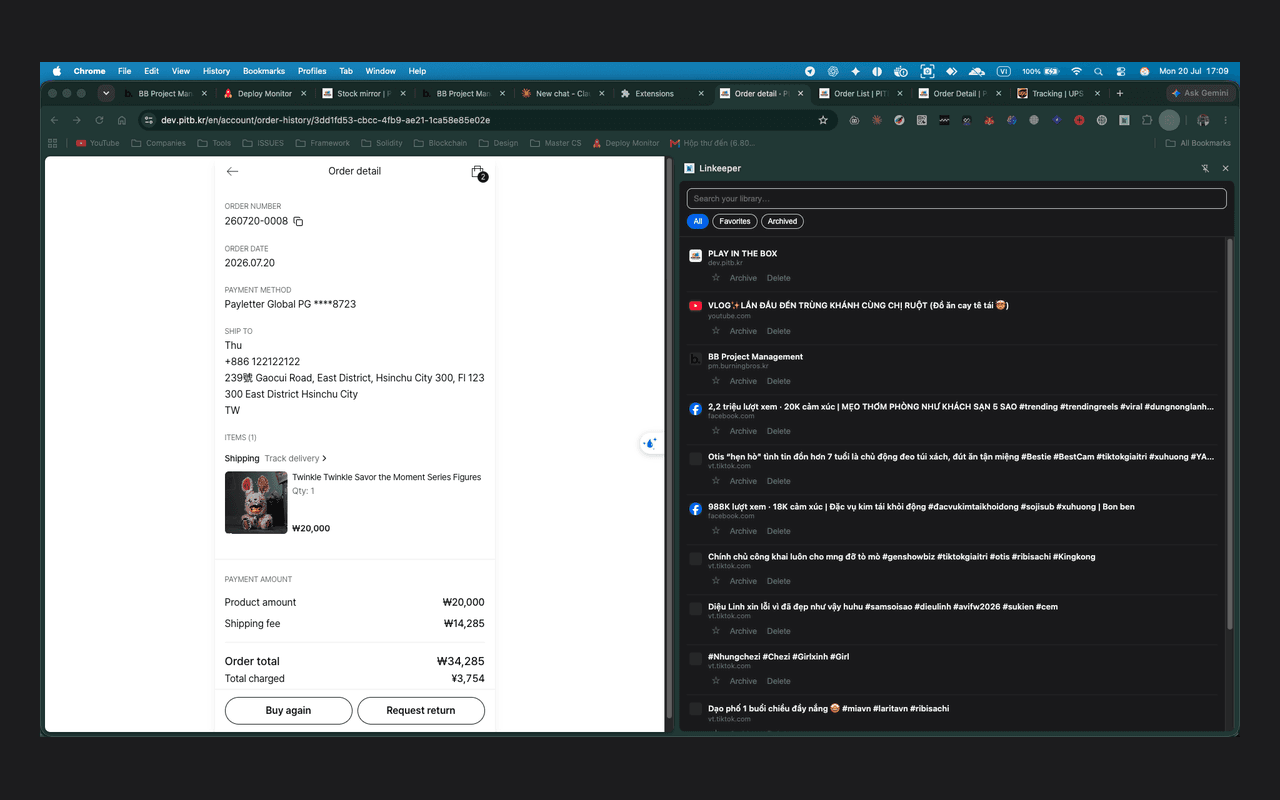
Install the Linkeeper extension for Chrome to save the page you're on in one click — no need to touch your phone. Everything you save from your computer shows up on mobile right away, and vice versa, under the same account.
One-click save
Click the toolbar icon, right-click a page, link, or selected text, or use the Ctrl/Cmd+Shift+S shortcut.
Synced with the app instantly
Sign in with the same Google account as the mobile app — save from your desktop, see it on your phone right away.
Search from the side panel
Open your library right inside the browser to search and filter by Favorites or Archived without leaving the page you're reading.
Here's how Linkeeper protects your most private links, step by step.
1
Local storage first
Every link is written to a SQLite database right on your device — the source of truth isn't a server somewhere else.
2
No account, no gatekeeping
You get every feature — saving, organizing, searching, reading — without ever creating an account.
3
A hidden vault with its own lock
Private links move into an area locked with a PIN, unlockable in a tap with Face ID or Touch ID.
4
A privacy cover
The instant the app leaves the foreground, a cover masks all content — the OS app-switcher snapshot never exposes anything sensitive.
5
Reversible sync
If you choose to sign in for sync, you can sign out or permanently delete your account and all synced server data, right in the app.
More layers of protection
No account required
The entire app works offline, with zero setup to get started.
PIN + Face ID for the vault
Private links are kept entirely separate from your regular link list.
No IDFA tracking
Uses anonymous Firebase Analytics — no App Tracking Transparency prompt at all.
Full ownership of your data
Export your entire library to a JSON file any time, independent of any account.
In-app account deletion
Permanently delete your account and all server data in a few taps, as required by Apple and Google.
Ads only when you choose
No banners, no pop-up ads. When you hit a free limit you can choose to watch a short ad for more room. Linkeeper Unlimited has no ads.
FAQ
The questions worth asking first
Is my data uploaded to a server?
Not by default. Linkeeper is local-first — every link, tag, and collection lives on your device. Data is two-way synced to a Supabase server only after you actively sign in with Apple/Google. Apart from that, the app sends anonymous usage statistics and crash reports to Google Firebase (always on, never containing your links or tags), and feedback is sent only when you tap Send.
Can I bring my links over from Pocket, TikTok or my browser?
Yes (iOS, from version 1.2). Go to Settings → Library → Import from other apps, pick a source to see how to get its export, then choose the file. Supported: TikTok, Instagram, Pocket (CSV or HTML) and bookmark files from Chrome, Safari, Edge, Firefox, Brave and Arc. The file is read on your device and never uploaded; duplicates are skipped, and you can undo the whole import.
Do I need to create an account?
No. Signing in is entirely optional and only unlocks cross-device sync — every other feature works fully without one.
What happens to my links if I don't sign in?
They're saved fully and work normally forever on your device; you just lose the ability to sync to another device.
Can I hide sensitive links?
Yes — move a link into the hidden vault, locked with a PIN and unlockable in a tap with Face ID/Touch ID.
What if I switch phones?
Sign in and sync to bring your data to the new device, or use the export/restore JSON backup feature, independent of any account.
Is Linkeeper free?
Yes. Saving links yourself is free and unlimited, with tags, search and the reader. Import, collections and the hidden vault have free limits; you can watch a short ad for more room, or buy Linkeeper Unlimited once (not a subscription) to remove every limit and all ads.
Which apps can I save links from?
Any app with a native share sheet — TikTok, Facebook, Instagram, Threads, YouTube, Safari, and many more.
Can I delete my account?
Yes. Go to Settings → Delete account to permanently remove all data synced to the server; your local on-device data is unaffected unless you also choose to clear it.
Start saving links the tidy way, today
Get Linkeeper and save your first link in seconds — no sign-up required.