
How to delete multiple bookmarks at once in Safari on iPhone (there is no select all)
Published · 5 min read
You open Safari's Bookmarks, tap Edit, and see hundreds of old entries to clean out. There is no checkbox, no Select all and no way to pick ten at once: on iPhone, Safari removes bookmarks one by one.
This guide shows the quickest ways to do it anyway, what a Mac can do that an iPhone cannot, and how to bulk-select links in Linkeeper if you want a list you can clear in a few taps. Menu names are from recent iOS versions and can differ slightly on yours.
Can I select several bookmarks and delete them at once in Safari on iPhone?
No. In the iPhone version of Safari, the Bookmarks screen has an Edit button, but it only lets you delete, rename or move a bookmark one at a time. There is no multi-select and no Select all. Many Apple Community threads ask for exactly this, and the answers agree. If Apple adds it in a newer iOS version, the steps below will still work.
That leaves three practical routes: delete one by one but quickly, delete a whole folder, or use a Mac.
What is the fastest way to delete bookmarks one by one?
- 1Open Safari and tap the Bookmarks button (the open book), then make sure the Bookmarks tab is selected.
- 2Open the folder you want to clean up.
- 3Swipe left on a bookmark and tap Delete. This is quicker than Edit when you are removing a few.
- 4Or tap Edit, tap the red minus button next to a bookmark, then tap Delete. Tap Done when you finish.
Safari does not ask you to confirm each one, so you can keep going down the list. There is no undo for a deleted bookmark inside Safari, so skim before you swipe.
How do I delete a whole folder of bookmarks at once?
- 1Open Safari's Bookmarks and go to the screen that lists your folders.
- 2Tap Edit, tap the red minus button next to the folder, then tap Delete.
Deleting a folder removes the bookmarks inside it too, so this is the one real bulk action on iPhone. Check the folder first, and move out anything you still want.
Favorites and Reading List are separate. Favorites is a folder inside Bookmarks that you clear the same way. For the Reading List, see how to clear your Safari Reading List.
Can a Mac delete many bookmarks at once?
Yes, if your iPhone and Mac use the same Apple Account with Safari turned on in iCloud settings. On the Mac, open Safari, choose Bookmarks, then Edit Bookmarks. Click one bookmark, hold Shift and click another to select the range, or hold Command to pick scattered ones, then press Delete.
The change then syncs to your iPhone. Syncing is not instant and can take a few minutes; if it never arrives, see what to do when Safari bookmarks go missing or do not sync.
How do I select and delete many links at once in Linkeeper?
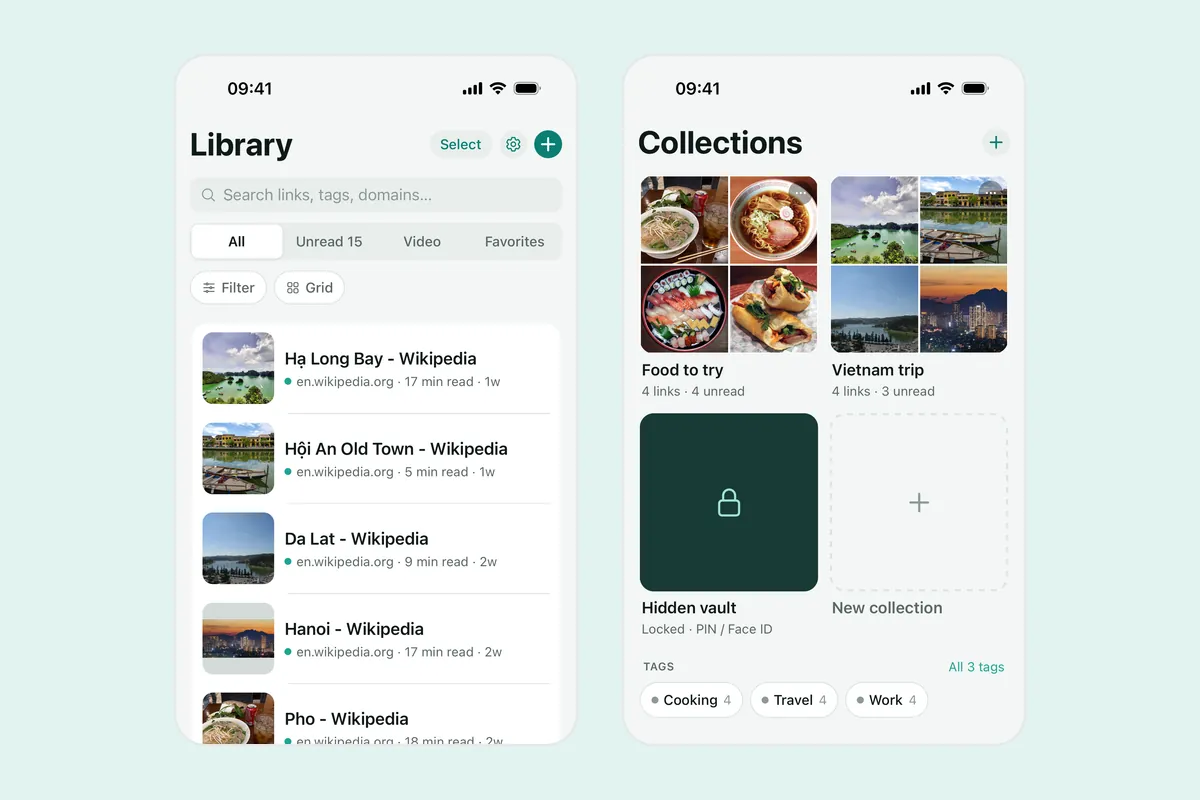
Linkeeper is an iPhone and iPad app that saves links from any app in one tap and keeps them in one organized, searchable library to read later. Unlike Safari's Bookmarks screen, its Library has a Select mode.
- 1Open Linkeeper and go to the Library.
- 2Tap Select. The title changes to “Select links”.
- 3Tap the links you want, or tap Select all to take every link currently shown. If you searched or opened a tag or collection first, Select all covers just those links.
- 4A bar appears at the bottom with Read, Archive, Hide and Delete. Tap Delete, then confirm “Delete selected links?”. The message says it cannot be undone.
If you are not sure, tap Archive instead of Delete. Archive moves the selected links out of the main list, and a toast offers Undo right after. The same bar can mark many links as Read in one tap.
To bring your Safari bookmarks into Linkeeper first, see how to move your bookmarks to your iPhone. If duplicates are the real problem, how to find and remove duplicate bookmarks may be faster than deleting by hand.
Frequently asked questions
- Can I delete all bookmarks at once in Safari on iPhone?
- Not with one button. You can delete a whole folder, which removes the bookmarks inside it, or you can clean up on a Mac, where you can select a range and press Delete. The change then syncs through iCloud.
- How do I delete a bookmark in Safari on iPhone?
- Open Bookmarks, swipe left on the bookmark and tap Delete, or tap Edit, tap the red minus button and tap Delete.
- Can I undo deleting a bookmark in Safari?
- Not inside Safari on iPhone. Check the folder before you delete it, and keep a copy of anything important elsewhere.
- Can I delete many links at once in Linkeeper?
- Yes. In the Library, tap Select, pick the links or tap Select all, then tap Delete and confirm. Deleting cannot be undone; Archive can be undone from the toast.