
How to actually read the articles you save
Published · 5 min read
To actually read what you save, keep everything in one list, give reading a fixed small slot in your day or week, and archive aggressively — anything you will not read in the next few weeks can go. The list exists to serve you; it is not a debt you owe.
This guide explains why read-later lists grow out of control and gives a routine you can start today with whatever tool you already use, even the Notes app.
Why does my read-later list keep growing?
Saving takes one second; reading takes ten minutes. That imbalance alone guarantees a growing list. A few habits make it worse:
- Saving to feel productive. Tapping Save feels like progress, even if you never come back.
- Saves scattered across apps. A bit in Safari, a bit in Facebook's Saved, a bit in a chat with yourself — you never see the whole pile, so you never deal with it.
- No time set aside. "Later" without a time is never.
- Treating every save as a commitment. Old links feel like obligations, so you avoid opening the list at all.
How do I set up one place for everything?
Pick one list and send everything there, whatever the source. It can be Safari's Reading List, a note, or a dedicated app — what matters is that it is one place.
- 1Choose your list and put it somewhere you see every day, such as the Dock or first home screen.
- 2Move what you can from other places into it: Reading List items, links in your notes, posts you saved inside social apps. If your saves are inside TikTok or Facebook, the guides on finding saved TikTok videos and finding saved Facebook posts show where they hide.
- 3From now on, when you see something worth reading, share it to that list and nowhere else.
When should I read?
Attach reading to something you already do, and keep the slot small so it actually happens.
- A daily slot of ten to fifteen minutes: with morning coffee, on the commute, or before bed instead of the feed.
- A weekly session of half an hour for longer pieces, at a fixed time such as Sunday morning.
- Dead time: queues, waiting rooms, flights. Save pages for offline reading beforehand — see how to save web pages to read offline on iPhone.
- A reminder on your phone at the same time each day, so the habit does not depend on remembering.
How do I decide what to keep?
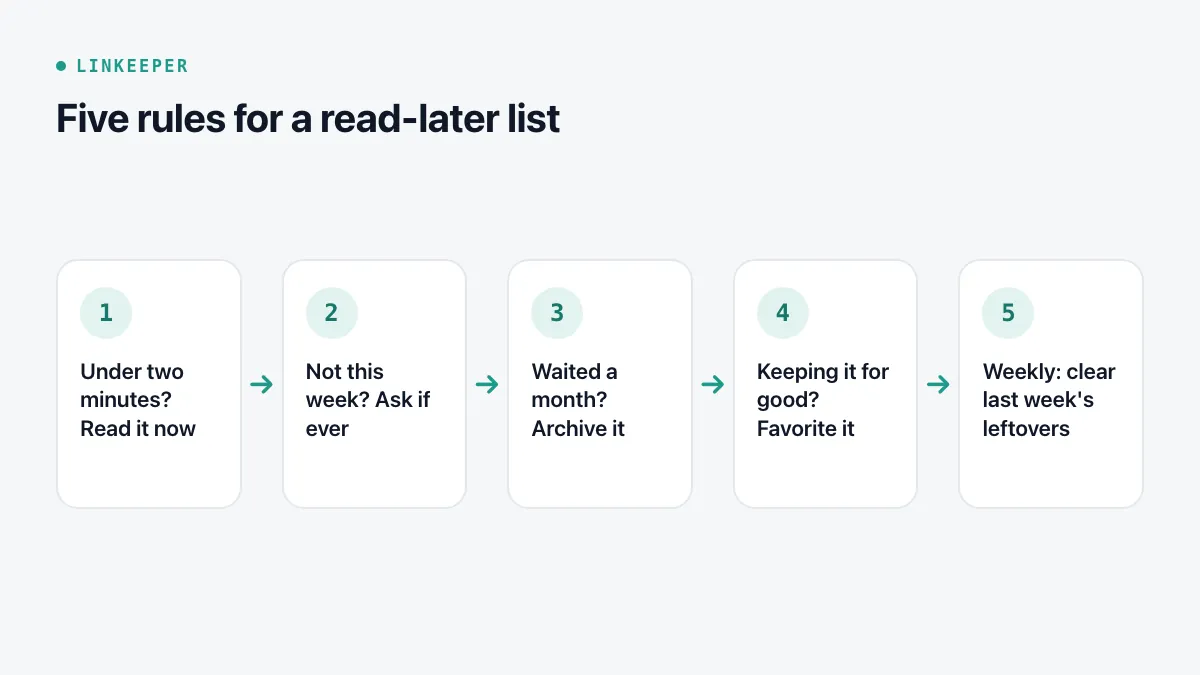
Triage is what keeps the list honest. Each time you open it, apply a few simple rules:
- 1If it takes under two minutes, read it now.
- 2If you would not read it this week, ask whether you will ever read it. Usually the answer is no — archive or delete it.
- 3If a link has waited more than a month, archive it without guilt. If it really mattered, it will come back to you.
- 4Mark things you want to keep long term as favorites, so they do not clutter the reading list.
- 5Once a week, clear what is left over from the week before.
What about the backlog I already have?
Do not try to read hundreds of old saves. Declare a fresh start: move everything older than a month or two into an archive (or a folder called Old), and only work through new saves with the routine above. Search the archive when you remember something specific. Skim it once a month and pick one or two items if you like.
If the old saves are spread across folders with no clear system, organizing bookmarks with tags or folders helps before you start.
Where Linkeeper helps
Linkeeper is built around this routine.
- Save from the Share menu of any app, so everything lands in one list.
- Read and unread states, favorites and archive cover the triage steps above, and bulk actions help clear an old pile at once.
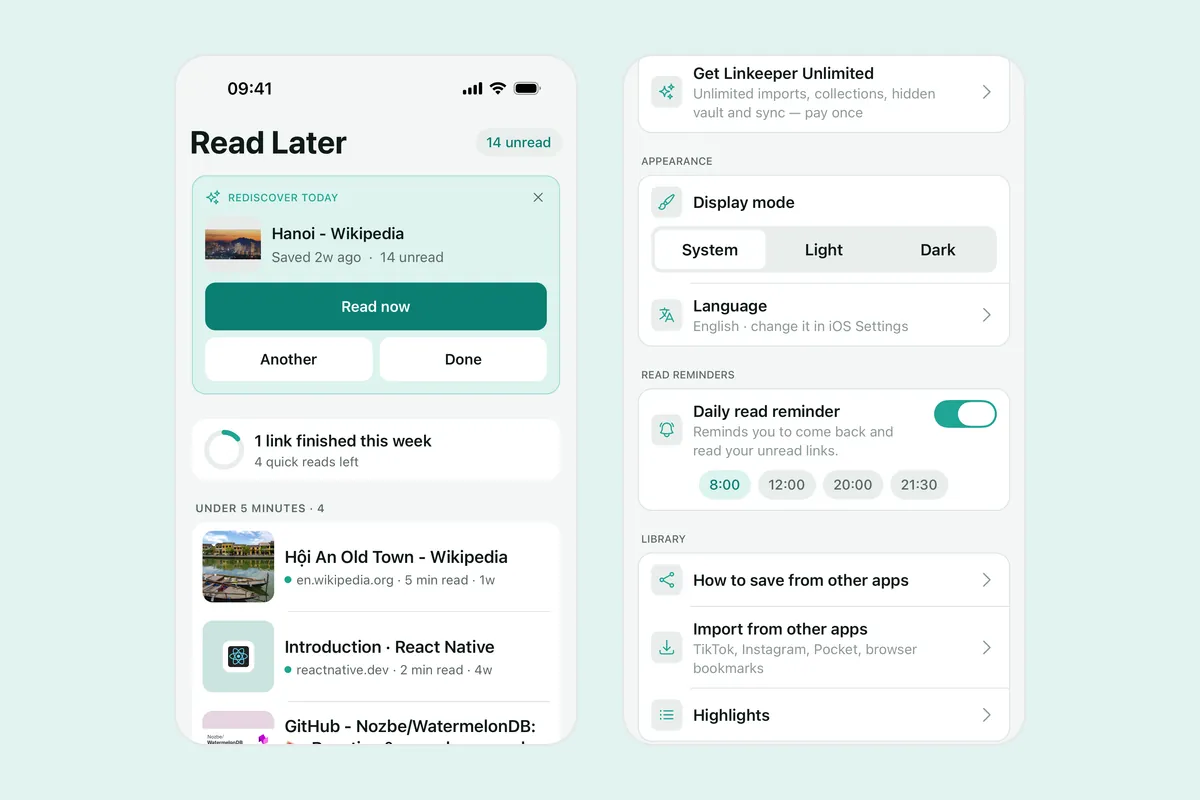
- Daily read reminders can be turned on in Settings.
- Rediscover: once a day, Home suggests one unread link you saved at least a few days ago and have not archived. Read it, ask for another, or mark it done — it is archived, with Undo if you change your mind.
- Articles can be read in the offline reader mode, so the commute counts as reading time.
Answers about accounts, sync and privacy are in the FAQ.