
How to save and compare rental listings on iPhone
Published · 6 min read
To save and compare rental listings on iPhone, share each listing's link into one list the moment you see it, write the rent, deposit, area, contact and the date next to it, and mark the ones you like as favorites so your shortlist is one tap away. A link app such as Linkeeper does this from the share sheet and searches the whole list offline; the built-in alternative is a Notes page with a line per listing.
Flat hunting is messy because the listings come from everywhere: listing sites, Facebook groups, a friend's Zalo message, a screenshot of a post. A week later you cannot remember which room had the balcony or what the landlord said about the deposit. This guide gives a simple routine that works with what is already on your iPhone, then shows where Linkeeper saves time.
Why do rental listings get lost so easily?
Rooms and flats are different from most things you save, because they expire:
- Listings come from many places, so no single app's saved list contains them all.
- A listing can be taken down or rented the day after you see it, and a screenshot of a post cannot be reopened to check whether it is still available.
- The details that matter (rent, deposit, electricity and water costs, who to call, when you can view) are usually in the text or in a chat, not in the link.
- After ten listings they start to blur. Without a note, you end up viewing the wrong one twice and missing the good one.
What can I use on iPhone without installing anything?
Three built-in tools cover the basics:
- Notes: one note called “Flat hunt” with a line per listing: link, rent, area, contact, date seen. It is easy to start and gets long fast.
- Safari Reading List or bookmarks: fine for web pages, but a listing in a Facebook group or a chat is not a web page you can bookmark, and there is no field for rent or a phone number.
- Maps: save a place to a Guide or as a favorite if your iOS version offers it, so you can see how far a place is from work or school. It stores the location, not the listing.
How do I compare listings step by step?
Use the same routine for every listing so the list stays comparable:
- 1Decide your limits before you start: monthly budget, the areas you would accept, and your two or three must-haves. Write them at the top of your list.
- 2Save the link as soon as you see a listing: Share → copy the link or send it to your list app. For a post in a group or chat, share the post link, not a screenshot.
- 3Add a one-line note: rent, deposit, whether electricity and water are included, area, who to call, and the date.
- 4Mark its status: to view, viewed, shortlisted or dropped. Three statuses are enough.
- 5Message the owner or agent and write down what they said, for example “viewing Saturday 4 pm”.
- 6After you view it, add what you saw: noise, light, the walk to the bus stop, anything that needs checking before you pay a deposit.
- 7Put your top two or three side by side, and drop the rest. Archive dropped listings so the list stays short.
Be careful with money: do not send a deposit for a place you have not seen, and be wary of a listing that is far cheaper than similar ones in the same area. The note field is a good place to write down who you spoke to and what was promised.
How does Linkeeper help with flat hunting?
Linkeeper is an iPhone and iPad app that saves links from any app in one tap and keeps them in one organized, searchable library. Several parts of it fit a flat hunt:
- Share a listing from Safari, Facebook or any app with a share sheet, choose Linkeeper, and the link is saved without leaving the page. The title and thumbnail are filled in when the page provides them.
- If an app only offers Copy link, open Linkeeper's add screen: it offers to save the link you just copied, and tells you if it is already in your library, so you do not save the same room twice.
- Every link has a note field for rent, deposit, contact and viewing time. Search covers titles and notes, works offline and ignores Vietnamese diacritics, so “phong tro go vap” finds “Phòng trọ Gò Vấp”.
- Use tags for the area (for example “Go Vap” or “District 7”) and collections or favorites for status such as “To view” and “Shortlist”. Collections have a free limit; you can watch a short ad for more room or buy Linkeeper Unlimited once to remove it.
- Archive a listing once it is rented or dropped. It leaves your list but stays searchable.
- To show a shortlist to a flatmate or partner, share a collection as a read-only link. How to share a list of links from your iPhone explains how it works and what it needs.
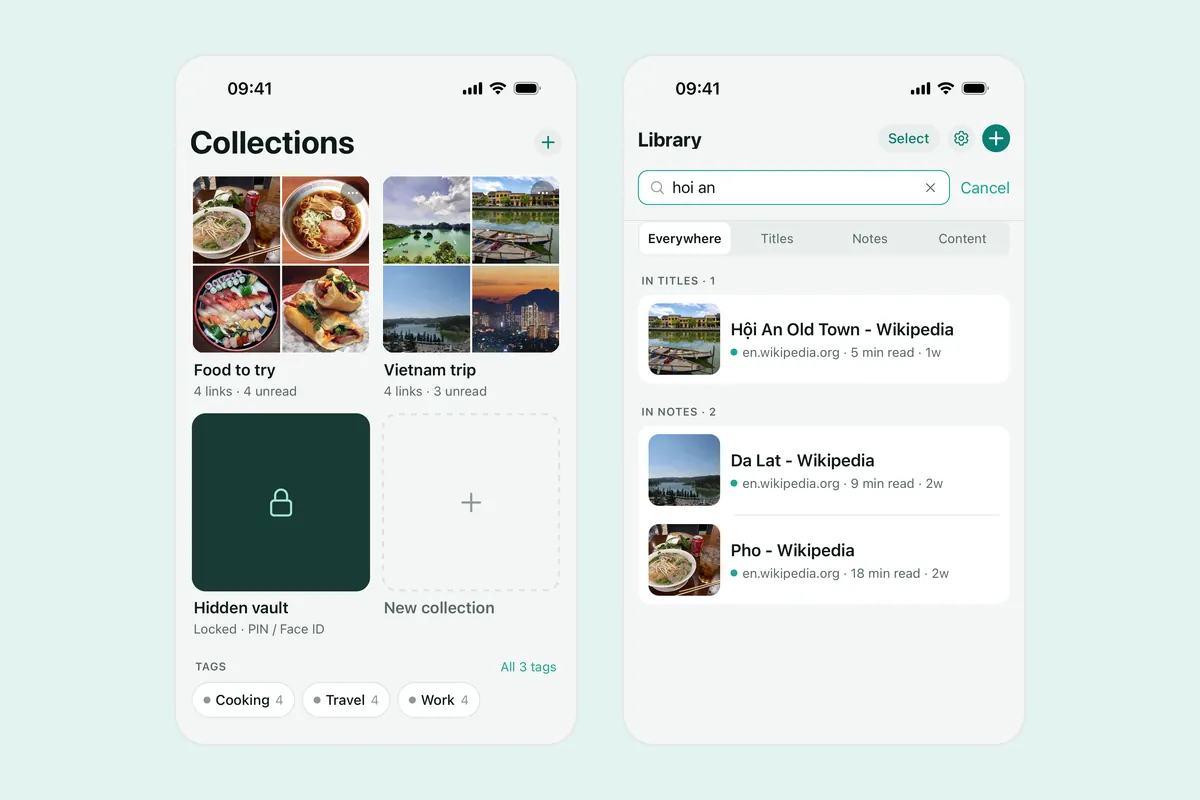
Linkeeper saves the link and your own notes. It does not check whether a listing is still available, and it does not track rent changes, so reopen the link before you call.
Which way suits you?
| Notes page | Safari bookmarks | Linkeeper | |
|---|---|---|---|
| Save from any app, including chats and groups | Paste by hand | Web pages only | From the share sheet |
| Note rent and contact for each listing | Yes, in the line | No field for it | Yes, in the note |
| Filter by area or status | Scroll and read | Folders only | Tags, collections, favorites |
| Search offline | Yes | Titles only | Yes, titles and notes |
For three or four listings, one Notes page is enough. For a long hunt across several sources, a list with tags and notes saves the most time. The same habit works for products; see how to save Shopee and TikTok Shop products to buy later.
Frequently asked questions
- How do I keep track of apartments or rooms I am interested in?
- Save each listing link in one list, write the rent, deposit, area, contact and date in a note, and mark a status such as to view, shortlisted or dropped. Notes works for a few; a link app such as Linkeeper adds tags, search and favorites.
- Can I save a rental post from a Facebook group or Zalo?
- Yes. Use the post's Share or More menu to copy its link, or share it to an app on the iPhone share sheet. Save the link rather than a screenshot so you can reopen it.
- Will Linkeeper tell me when a listing is rented?
- No. Linkeeper keeps the link, the title and your notes. It does not check availability or prices, so open the link again before you call.
- Do I need an account to use Linkeeper for this?
- No. Links, notes, tags and collections are stored on your iPhone first. Signing in with Apple or Google is optional and only used to sync your library between devices.