
How to find saved videos on TikTok (Favorites, Liked and Watch history)
Published · 5 min read

Videos you saved with the bookmark icon are in Profile → Favorites (the bookmark tab); videos you tapped the heart on are in the Liked tab (the heart). If you never saved a video but watched it recently, look in Settings and privacy → Activity center → Watch history.
Below are the steps for each, how to organize Favorites into collections, and how to get the links out of TikTok when you want a copy you control.
What is the difference between Favorites, Liked and Watch history?
TikTok keeps three separate lists, and people often look in the wrong one:
- Favorites — videos you saved with the bookmark icon on the right side of a video (or via Share → Add to Favorites). This is TikTok's real "save for later" list.
- Liked — videos you tapped the heart on. Liking is a public reaction to the creator; the list itself can be set to private.
- Watch history — videos you simply watched. It only goes back a limited time, and it has to be turned on for anything to appear.
If a video matters, save it to Favorites. A like is easy to lose in hundreds of others, and history eventually expires.
How do I see my Favorites on the TikTok app?
- 1Open TikTok and tap Profile at the bottom right.
- 2Below your bio, find the row of tabs. Tap the bookmark icon — that is Favorites.
- 3Favorites is split into sections such as Posts (videos), Collections, Sounds, Effects and Places. Videos you saved are under Posts or Videos, depending on the app version.
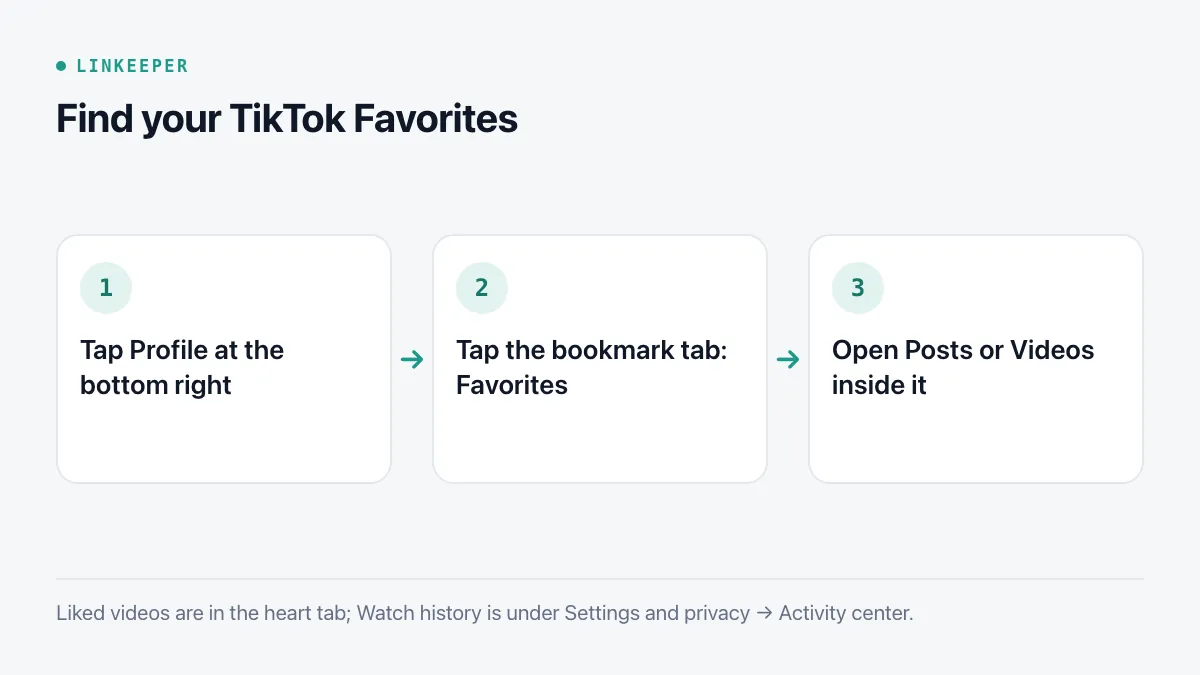
Liked videos are in the tab with the heart icon, next to Favorites. If you do not see that tab, it may be hidden on your profile: Settings and privacy → Privacy → Liked videos controls who can see it.
How do I sort Favorites into collections?
A long Favorites list becomes hard to scroll. Collections let you group videos by topic:
- 1Open Favorites and go to the Collections section.
- 2Tap Create new collection, give it a name (Recipes, Workouts, Places to visit) and pick the videos to add.
- 3From then on, when you tap the bookmark on a video, TikTok shows a Manage or Add to collection prompt for a moment — tap it to file the video straight away.
Collections can be private or public. Keep them broad; a few collections you actually reopen work better than many narrow ones.
Can I see TikTok Favorites on a computer?
Yes. Go to tiktok.com, sign in, click your profile picture and choose View profile. The Favorites and Liked tabs sit next to Videos. The web view is handy for scrolling a long list on a bigger screen, though collection management is easier in the app.
How do I find a TikTok I watched but did not save?
- 1Go to Profile and tap the menu icon (three lines) at the top right.
- 2Open Settings and privacy, then Activity center.
- 3Tap Watch history. Videos are grouped by day; you can search within it.
If the list is empty, watch history may be turned off — there is a switch at the top of the same screen. It only records from the moment it is on, so it cannot help with something you watched before.
How do I keep a TikTok link outside the app?
Favorites only live inside TikTok. If a creator deletes a video or makes it private, it disappears from your Favorites too. To keep a reference of your own:
- 1Tap Share (the arrow) on the video.
- 2Choose Copy link.
- 3Paste it into a note, a document or a link-saving app, ideally with a word about why you saved it.
For your whole history at once, TikTok's Download your data tool (Settings and privacy → Account → Download your data) produces an archive that includes your favorite and liked videos as links. Requesting it takes a few days to be prepared, and the file is meant for record-keeping rather than browsing.
Where Linkeeper helps
Linkeeper is a place to keep links from TikTok next to links from every other app, with a title and thumbnail you can recognise later.
- Tap Share on a TikTok video and choose Linkeeper. The link is saved without leaving TikTok, and the title and thumbnail are fetched automatically.
- On iOS (version 1.2 and later), Linkeeper can import your TikTok favorite videos — and, if you choose, your liked videos — from TikTok's data download. The file is read on your iPhone and never uploaded; you see a preview, duplicates are skipped, and the whole import can be undone.
- Search works offline and without diacritics, and the Rediscover card on Home brings back one older unread link a day.
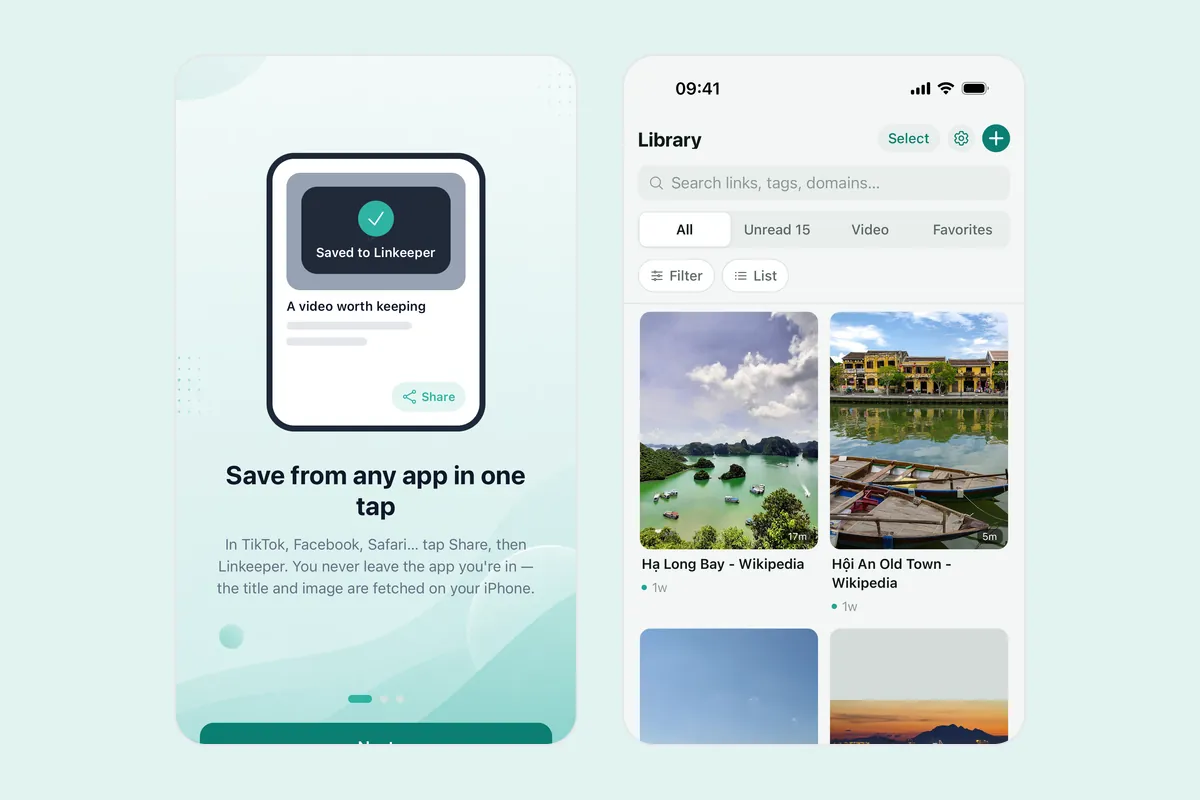
Saving from several apps at once is covered in how to save TikTok, Instagram and Facebook links, and if your list is already long, try these ways to actually get through it. More about import and privacy is in the FAQ.