
How to save YouTube videos to watch later on iPhone (without downloading)
Published · 6 min read
To save a YouTube video for later on iPhone, tap Save under the video (or ⋯ → Save to playlist) and choose Watch later. You find the list again in the You tab, under Playlists → Watch later; nothing is downloaded, so the videos still need a connection.
Below are the exact steps, how to save without opening a video, how to stop Watch later from turning into a list of hundreds, and when it makes sense to keep a video's link outside YouTube instead.
How do I add a video to Watch later?
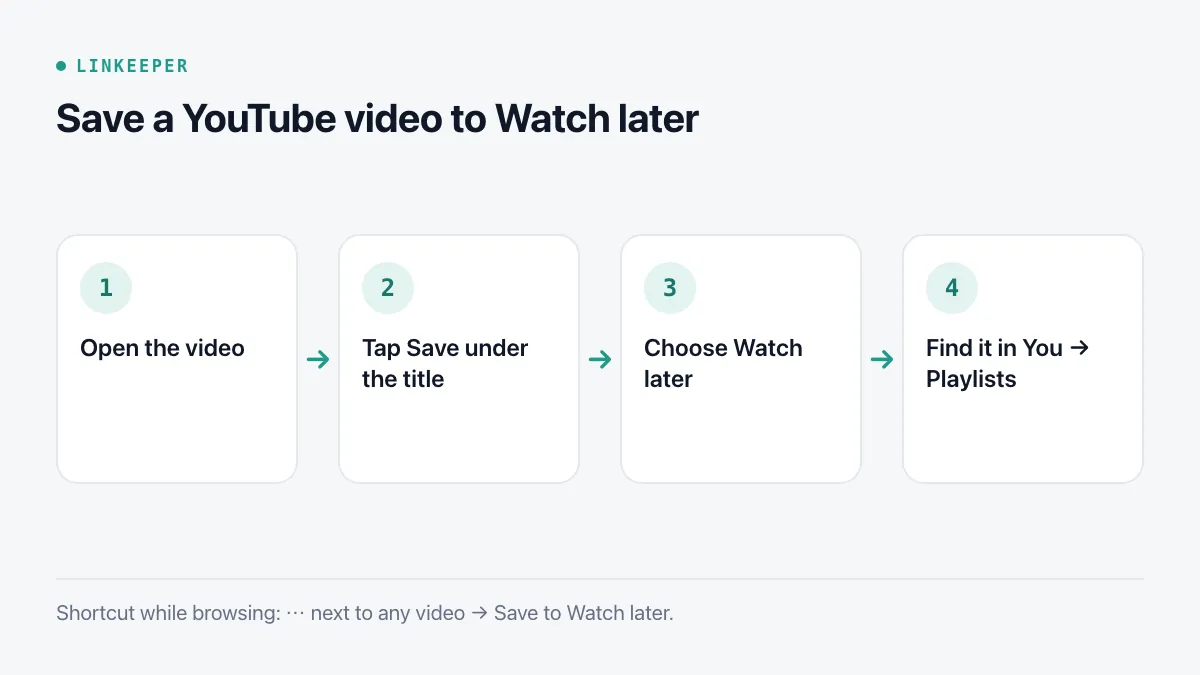
Watch later is a playlist every YouTube account has. Adding to it takes two taps:
- 1Open the video in the YouTube app.
- 2Below the title, scroll the row of buttons (Like, Share, Remix…) until you see Save, and tap it.
- 3Choose Watch later. To use one of your own playlists instead, tick it in the same list, or tap New playlist.
Without opening a video: in the Home feed, search results or a channel page, tap ⋯ next to the video and choose Save to Watch later (or Save to playlist). This is the quickest way to collect several videos while browsing.
Where do I find Watch later again?
Tap You at the bottom right of the YouTube app. Under Playlists, Watch later sits at the start of the row; tap View all if you do not see it. The same list appears on youtube.com when you are signed in to the same account, and on YouTube for TV.
Inside the list, tap the sort button to order by date added or by date published, and tap Play all to watch through it like a queue.
How do I keep Watch later from growing forever?
Watch later is easy to fill and easy to forget. A few habits keep it useful:
- Remove videos as you finish them: in the list, tap ⋯ next to a video and choose Remove from Watch later. In the list's own ⋯ menu there is also an option to remove watched videos in one go.
- Make a few named playlists for things you want to keep — Recipes, Workouts, Lectures — and use Watch later only for this week. Watch later is a queue; a playlist is a shelf.
- Once a month, sort by date added and remove anything older than a few weeks that you have skipped every time.
- If a video shows as unavailable or private, the uploader removed it; YouTube keeps the empty slot, so delete it.
For the general version of these habits — deciding what to keep and when to read or watch — see how to actually read the articles you save.
Can I watch saved videos offline?
Saving to Watch later or a playlist stores a link to the video, not the video itself. Watching without a connection needs YouTube's own Download button, which is part of YouTube Premium in most countries; downloaded videos then appear under You → Downloads. Third-party downloaders break YouTube's terms of service, so they are not covered here.
If you only need the video while travelling, download it on Wi-Fi the day before and check that the Downloads list shows it as complete.
When should I keep a YouTube link outside YouTube?
YouTube's lists are fine when all you save is YouTube. They get awkward when a video belongs with other things — a recipe video next to a recipe article, a tutorial next to the documentation, a talk next to a friend's notes about it. To keep a video's link anywhere else:
- 1Under the video, tap Share.
- 2Choose Copy link — or scroll the app row to send it straight to another app.
- 3Paste it into your note, reminder or link list, with a word about why you saved it.
A link outside YouTube also survives a lost account or a switch to another Google account, which a Watch later list does not.
Where Linkeeper helps
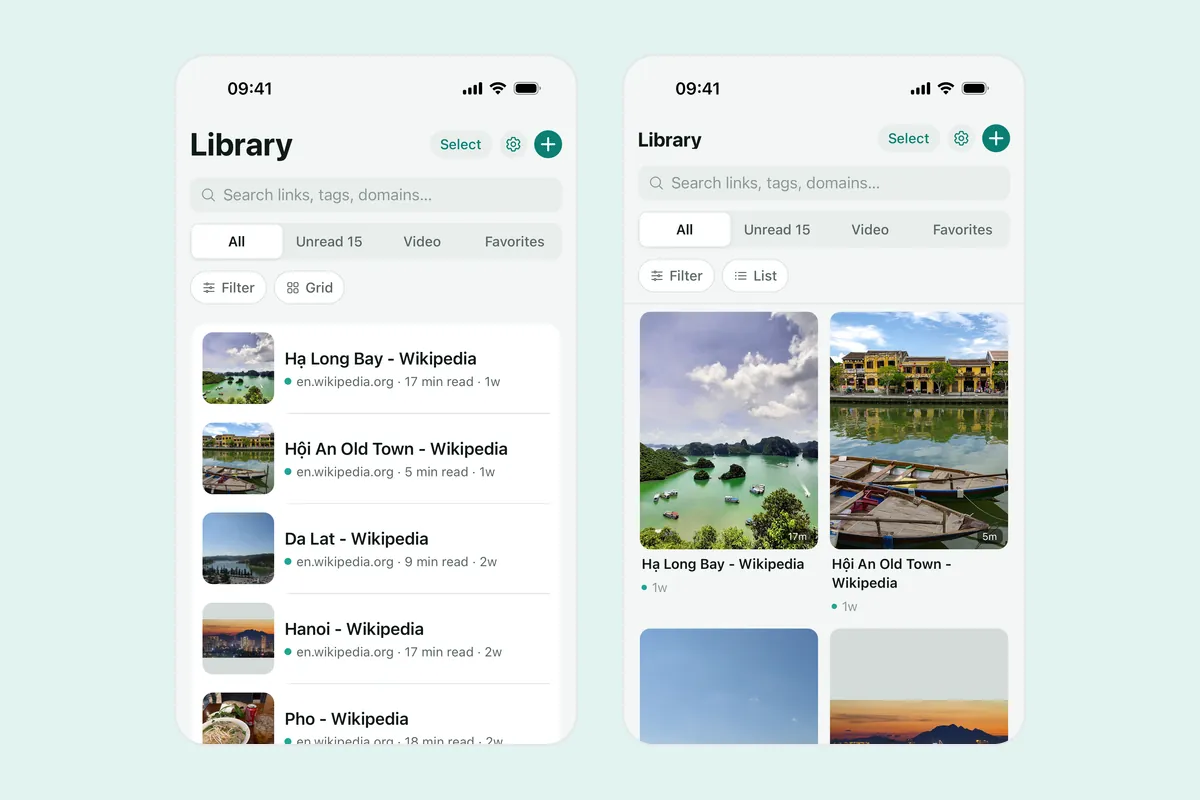
Linkeeper keeps YouTube videos in the same list as everything else you save, so a video and the article it relates to sit side by side.
- Tap Share under a video and choose Linkeeper: the link is saved without leaving YouTube, and the title and thumbnail come from YouTube itself.
- Videos are tagged by source automatically, and the Video filter in the Library shows only them.
- Add your own tags or a collection (“Cooking”, “Đà Lạt trip”) and a note, then search everything offline, without diacritics.
- Read and unread states, archive and the daily Rediscover pick help you work through what you saved instead of just adding to it.
Linkeeper saves the link, not the video file — it is not a downloader. If the share sheet does not show Linkeeper yet, add it to the share sheet once.