
Saving links in Apple Notes vs Linkeeper: which works better?
Published · 6 min read
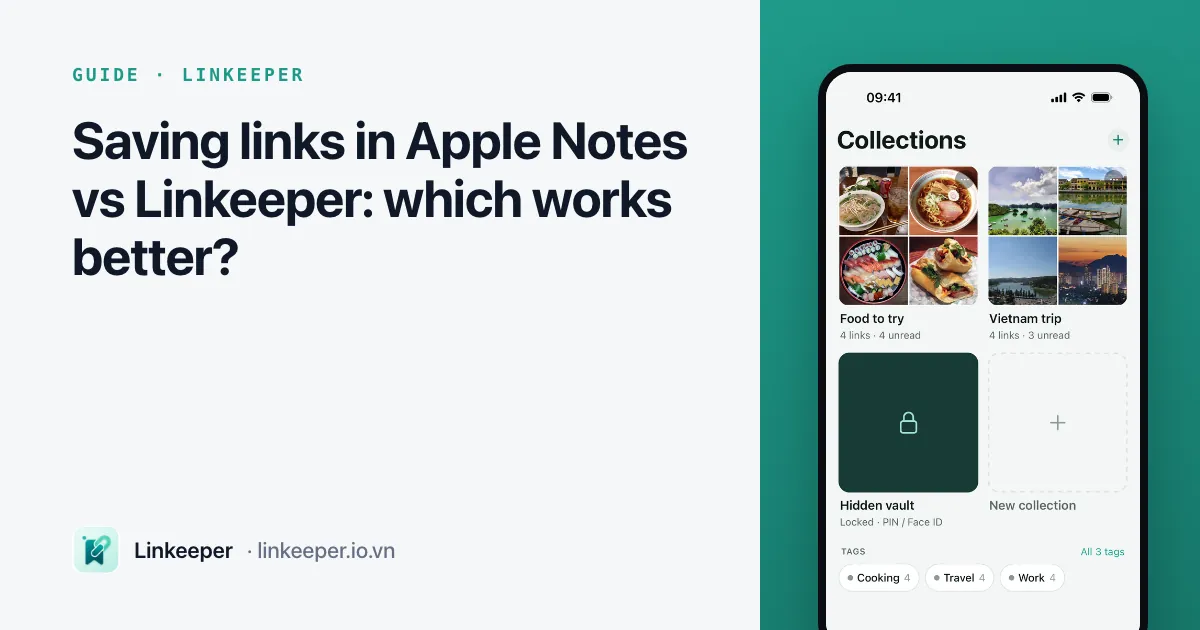
Apple Notes is a good place for links when they belong next to your own writing — a trip plan, meeting notes, a shopping comparison — and it is free and syncs through iCloud. It gets slow when links are the main thing you save: every link becomes a block in a long note, and there is no read or unread, no source tags and no reader view.
This guide shows how to save links to Notes well, compares it with Linkeeper point by point, and suggests how to split the job between them.
How do I save a link to Notes from the share sheet?
- 1In Safari or any app, tap Share and choose Notes.
- 2In the sheet that opens, tap the note name at the bottom to pick an existing note, or leave it on New Note.
- 3Type a line about why you are saving it, if you like, and tap Save.
- 4Open Notes: the link appears as a rich preview with the page title and image.
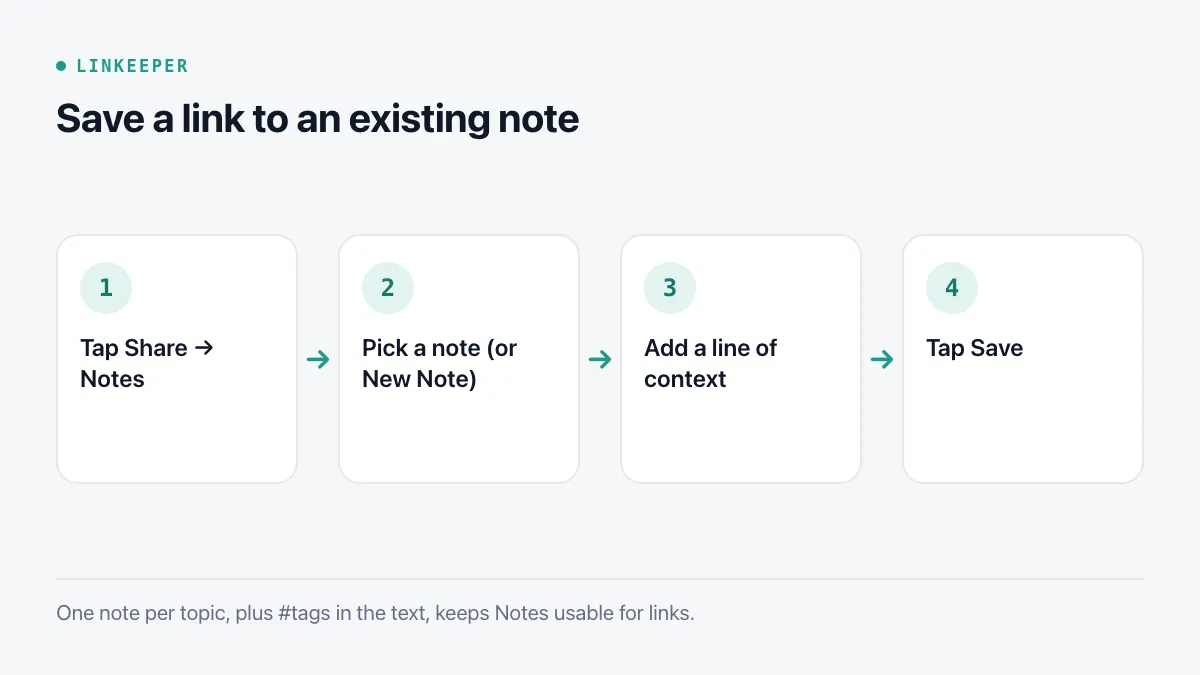
Keeping one note per topic (“Recipes to try”, “Đà Lạt trip”) works better than one giant “Links” note. Add #tags in the text — Notes turns them into tags you can browse from the folder list — and pin the notes you use most.
How do Notes and Linkeeper compare?
| Apple Notes | Linkeeper | |
|---|---|---|
| Best for | Links mixed with your own writing, lists and checklists | Collecting many links from many apps to read or watch later |
| Saving | Share → Notes, choose a note, tap Save | Share → Linkeeper; saved without opening the app |
| How a link looks | A rich preview inside the note | A list or grid item with title, thumbnail, source and reading time |
| Organizing | Folders, #tags and pinned notes | Tags (some added automatically by source), collections, favorites, archive |
| Reading state | None; you delete or tick items yourself | Read and unread, archive, a daily resurfaced link |
| Search | Searches note text and link titles | Searches titles, notes and saved article text, without diacritics, offline |
| Reading | Opens the page in the browser | Offline reader with Listen and highlights |
| Privacy | Lock a note with your passcode or Face ID | Hidden vault behind a PIN and Face ID |
| Sync | Free through iCloud on Apple devices | Optional sign-in; from version 1.3, part of Linkeeper Unlimited for new users |
| Cost | Free, built in | Free to save; limits on import, collections and the vault, removable with a one-time purchase |
When is Notes the better place?
- The link is one part of something you are writing: an itinerary, a gift list, research notes with your own comments between the links.
- You want checklists next to the links — “book this”, “ask Minh about that”.
- You share the planning with someone: a shared note lets several people add links and edit together.
- You save a few links a week and want nothing extra installed.
Where does Notes get slow for links?
- Volume: after a hundred links a note becomes a long scroll of preview cards, and moving one to another note means cutting and pasting.
- Social links: TikTok, Instagram and Facebook previews in Notes often show little more than the site name, so you cannot tell links apart.
- Status: there is no unread state. You either delete what you have read — and lose it — or let read and unread pile up together.
- Reading later: Notes opens each link in the browser, so a link saved for the plane is no use without a connection.
Can I use both?
A split that works for many people: Notes for plans and writing that include a few links; a link app as the inbox for everything you save while scrolling. When a trip or project starts, copy the handful of links you actually chose into the plan in Notes. The trip-planning guide walks through exactly that.
Where Linkeeper helps
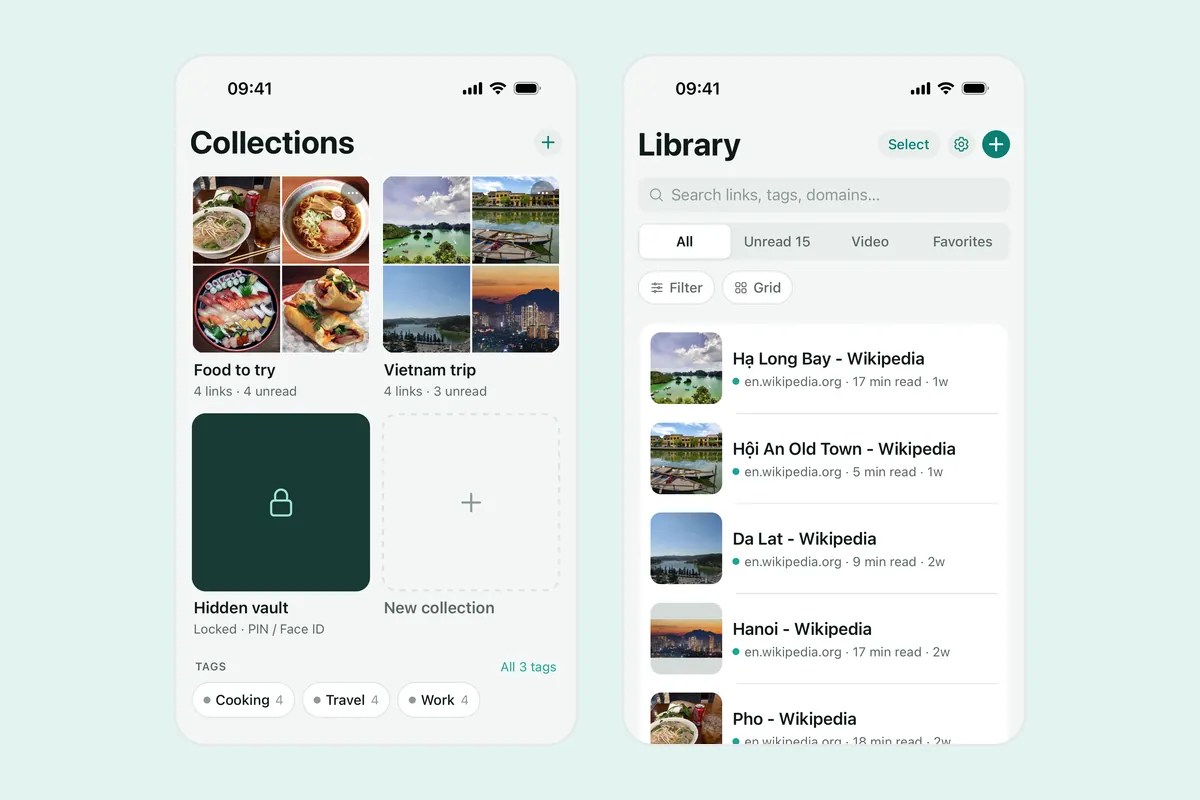
Linkeeper covers the part Notes is not built for: catching links from every app quickly and keeping track of what you have and have not read.
- Share → Linkeeper saves a link without opening the app, with title, description and thumbnail filled in — including for social posts, using a server-side fallback where apps block previews.
- Links are tagged by source and hashtag automatically; add your own tags, collections and a note per link.
- Read and unread, archive, favorites and a daily Rediscover pick keep the list moving.
- Search works offline across titles, notes and the saved text of articles, and ignores Vietnamese diacritics.
For the comparison with Safari's built-in list, see Linkeeper vs Safari Reading List.