How to save a podcast episode to listen later on iPhone
Published · 6 min read
To save a podcast episode to listen later on iPhone, open the episode's menu (the ⋯ button) in your podcast app and add it to your queue or your saved episodes, so you do not have to subscribe to the whole show. If you want the episode kept with your other links and a note about why, share it to Linkeeper, an iPhone and iPad app that saves links from any app in one tap.
Below are the steps in the apps most people use, how to find a saved episode again, how to stop a queue from growing into a guilt pile, and how to keep an episode's link outside any one podcast app.
How do I save a podcast episode without subscribing?
Most podcast apps let you keep a single episode without following the show. Menu names change a little between app versions, so look for the same idea on your screen.
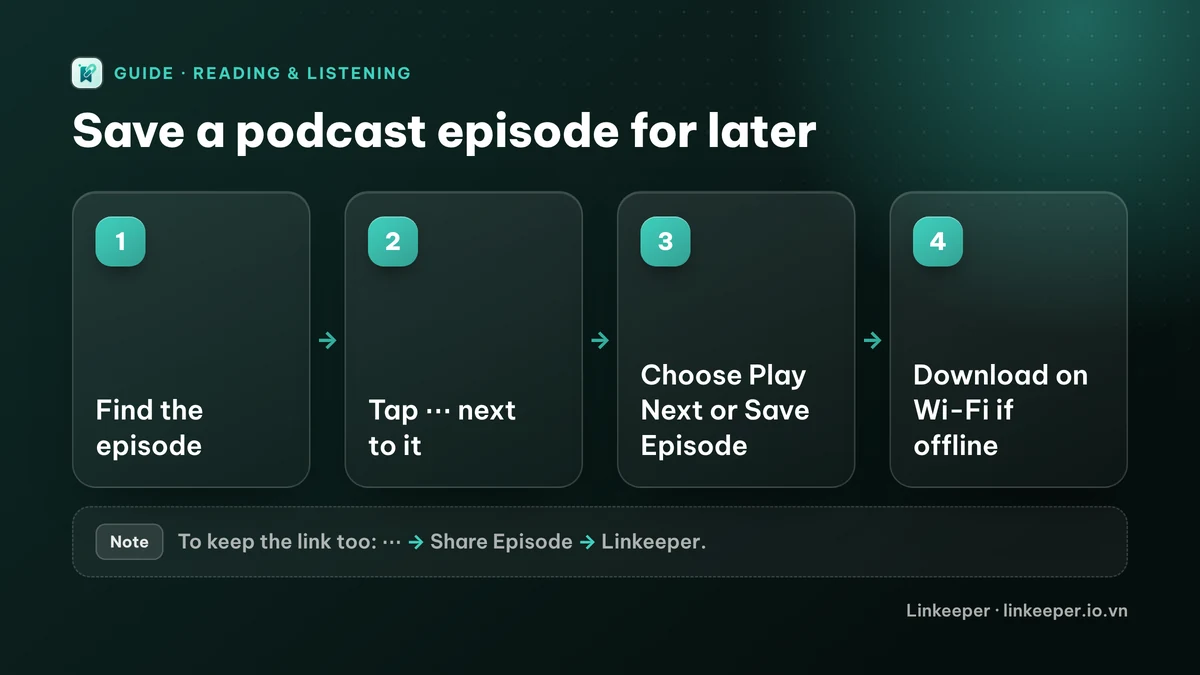
- 1Find the episode, in search, in a friend's message or on the show's page.
- 2Tap the ⋯ button next to the episode.
- 3In Apple Podcasts, choose Play Next or Play Last to put it in your queue, or Save Episode to keep it in your Library without subscribing.
- 4In Spotify, look for the option to add the episode to your library or to the queue, in the same ⋯ menu.
- 5If you will be offline, also choose Download (Apple Podcasts) or turn on the download switch (Spotify) while you are on Wi-Fi.
A queue is for what you will listen to in the next day or two. A saved list is for what you want to keep. Mixing the two is how a queue ends up with 80 episodes.
Where do I find a saved episode again?
In Apple Podcasts, open the Library tab. Episodes you saved are listed there, and the queue is under Up Next in the player. In Spotify, open Your Library and look for your episodes.
If you cannot find an episode you saved, check that you are signed in with the same account on that device, because saved lists belong to the account and not to the app alone.
How do I keep a listen-later queue from growing forever?
A queue is easy to fill and easy to forget. A few habits help:
- Keep the queue short. If an episode has been in it for a month and you skipped it every time, remove it.
- Decide where an episode will fit when you save it: the commute, a run, the washing-up. If you cannot name the moment, it is probably not going to happen.
- Save the episode, not the show, when you only want one conversation. Following a show you will not keep up with adds ten new episodes a month.
- Once a week, take five minutes to listen to the shortest saved episode or delete the oldest.
For the general version of these habits, see how to actually read the articles you save.
How do I keep an episode's link outside a podcast app?
A saved episode lives in one app and one account. When it belongs with other things, such as the article it discusses or a note about the part you wanted to hear, keep its link somewhere else too:
- 1In the podcast app, tap ⋯ next to the episode and choose Share Episode (Apple Podcasts) or Share (Spotify).
- 2Pick Linkeeper in the app row of the share sheet. If you do not see it, choose Copy link instead.
- 3Add a note with the minute you want, for example “start at 23:10”, so you do not have to search for it later.
A link outside the app survives switching podcast apps and also works when you send it to another person. Opening the link normally sends you to the podcast app or to the show's web page, depending on your iPhone.
Where Linkeeper helps
Linkeeper keeps podcast episodes in the same list as the articles and videos you save, so an episode can sit next to the page it talks about.
- Share an episode to Linkeeper from the share sheet, or tap Save copied link if you copied the link. The title and thumbnail come from the page the link points to.
- Add your own tags or a collection (“Podcasts”, “Commute”) and a short note, then search everything offline.
- Read and unread states, archive and the daily Rediscover pick help you work through what you saved instead of only adding to it.
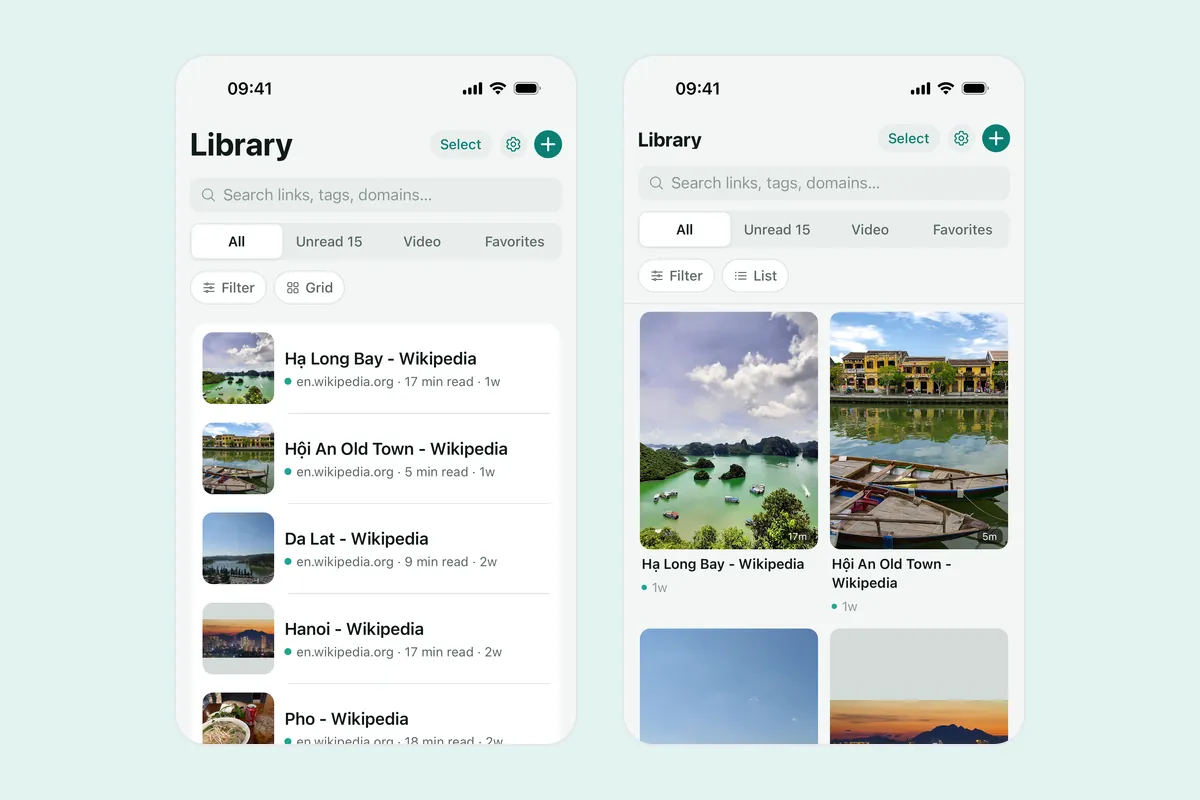
Linkeeper saves the link, not the audio file, and it does not play the episode. Some pages give little title or preview information, so add a one-line note if the card looks bare. If the share sheet does not show Linkeeper yet, add it to the share sheet once.
Frequently asked questions
- How do I save a podcast episode to listen later on iPhone?
- Tap the ⋯ button next to the episode in your podcast app and add it to your queue or your saved episodes. In Apple Podcasts that is Play Next, Play Last or Save Episode. You do not need to subscribe to the show.
- Can I listen to a saved podcast episode offline?
- Only if you download it. Saving keeps a place in your list; Download (Apple Podcasts) or the download switch (Spotify) stores the audio on the iPhone, so do it on Wi-Fi first.
- Where do saved podcast episodes go in Apple Podcasts?
- Open the Library tab for episodes you saved. The queue is shown as Up Next in the player.
- Does Linkeeper download or play podcast episodes?
- No. Linkeeper saves the link, with a title, thumbnail, tags and your note. Opening the link takes you to the podcast app or the web page.