
How to add a note to a saved link on iPhone (Safari has no notes field)
Published · 4 min read
I found no way to attach a note to a Safari bookmark or a Reading List item on iPhone. You can rename a bookmark, so the title can carry a short reason, but there is no separate notes field.
This guide covers three ways to keep the reason you saved a link: renaming the bookmark, sending the link to Apple Notes, and using an app with a real note field. Safari’s menus change a little between iOS versions, so use the closest label if yours differs.
Why bother adding a note to a link?
A link on its own tells you where, not why. Three months later “article about sleep” or a vague page title will not remind you that you saved it for one paragraph about a deadline. A one-line note (“for the Lisbon trip”, “quote for the report”, “ask Sam about this”) is what makes the link findable and usable.
Can I add a note to a Safari bookmark or Reading List item?
Not as a separate field, as far as I could find. What you can do:
- Bookmarks: open the Bookmarks button (the open book), touch and hold the bookmark and choose Edit. You can change its name, so put the reason in the name, for example “Visa rules – check before booking”.
- Reading List: items show a title and a short preview taken from the page. I found no option to edit that text, so a note cannot live there.
Renaming works, but the name is short and sits in a long list. It is a good fit for a handful of bookmarks and a poor one for dozens.
How do I save a link with a note in Apple Notes?
- 1Open the page in Safari and tap Share.
- 2Choose Notes in the row of apps (swipe left if you do not see it).
- 3Type your note in the text box, pick a note to save into, and tap Save.
The link and your text end up in the same note, which you can search with Notes’ own search. The trade-off is that the link is now a line in a note, with no read or unread state, no tags, and no way to filter only links.
How do I add a note in Linkeeper?
Linkeeper is an iPhone and iPad app that saves links from any app in one tap and keeps them in one organized, searchable library to read later. Every saved link has an optional note, and you can write it in two places:
- 1When adding a link by hand: tap the + button, paste the link, tap Note, and type. The field asks “Why are you saving this link?”.
- 2On a link you already saved: open the link and write in the Note box under the page info. It saves when you tap away from the field.
Links saved from the share sheet are saved first, so add the note afterwards by opening the link. Set up the share sheet if Linkeeper is not in the row of apps yet.
How do I find a link by what I wrote in the note?
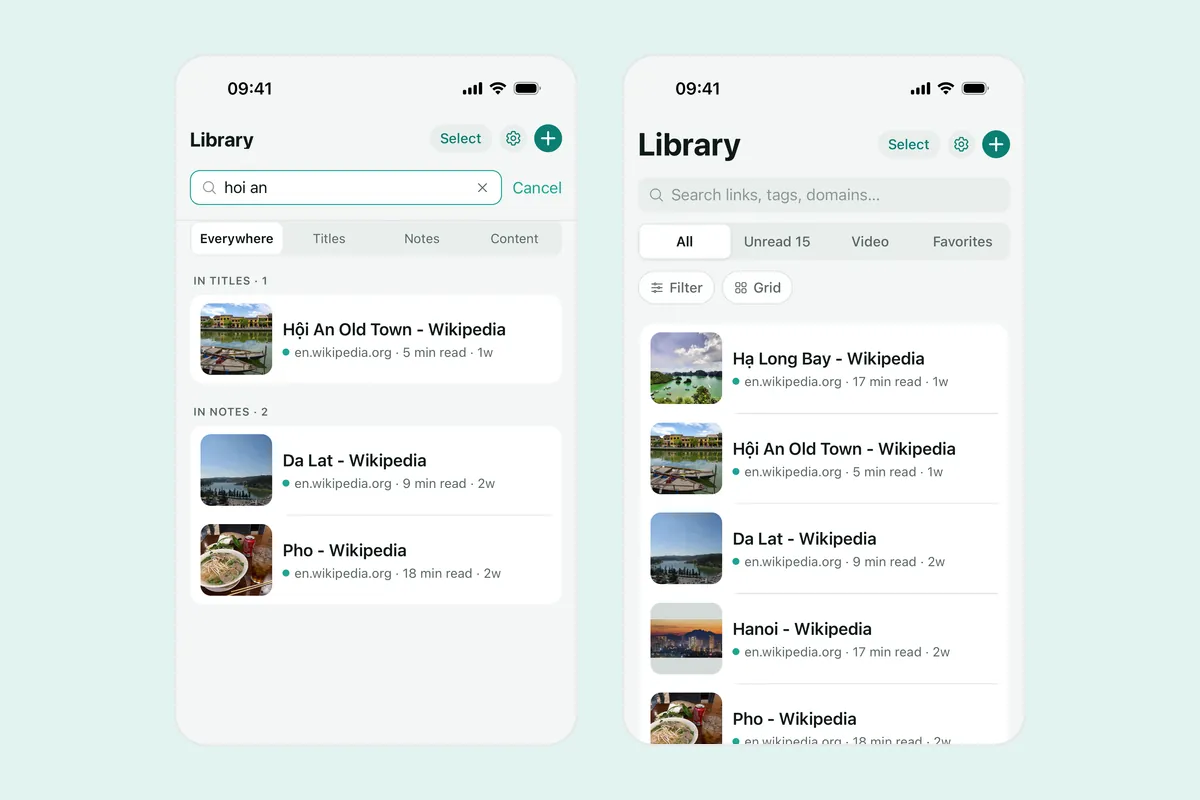
Notes are part of what Linkeeper’s search looks through. The search panel has filters for Everywhere, Titles, Notes and Content, and results are grouped, for example “In notes”. If you remember your own words (“Lisbon”, “quote”) but not the page title, search for them. More ways to search are in how to find a saved link on iPhone.
Settings also has Export notes & highlights, which turns everything you wrote into one Markdown file. Hidden links are never included.
Frequently asked questions
- Can you add notes to Safari bookmarks on iPhone?
- There is no notes field. You can rename a bookmark (touch and hold it, then Edit) and use the name as a short note. For longer notes, share the link to Apple Notes or use an app with a note field.
- Can I edit the description of a Reading List item?
- I found no way to. Reading List shows a title and a preview from the page, and neither can be edited.
- Does Linkeeper search my notes?
- Yes. The search panel has a Notes filter, and matches in notes are grouped separately from matches in titles and page text.
- Where else can I keep a reason for saving a link?
- Tags help for short labels. See how to organize bookmarks for when tags work better than folders.