
How to find your saved posts on Facebook (app and web)
Published · 5 min read
On the Facebook app, open the menu (the three-line icon, or your profile picture in newer versions) and tap Saved. On a computer, go straight to facebook.com/saved. Everything you saved — posts, videos, Reels, links and Marketplace listings — is listed there, newest first, and can be grouped into collections.
This guide walks through finding the list, organizing it, and the one thing Saved cannot do: guarantee the post will still be there next year.
Where is Saved in the Facebook app?
Facebook moves its menus around between app versions, so the exact position of the button changes, but the path is the same:
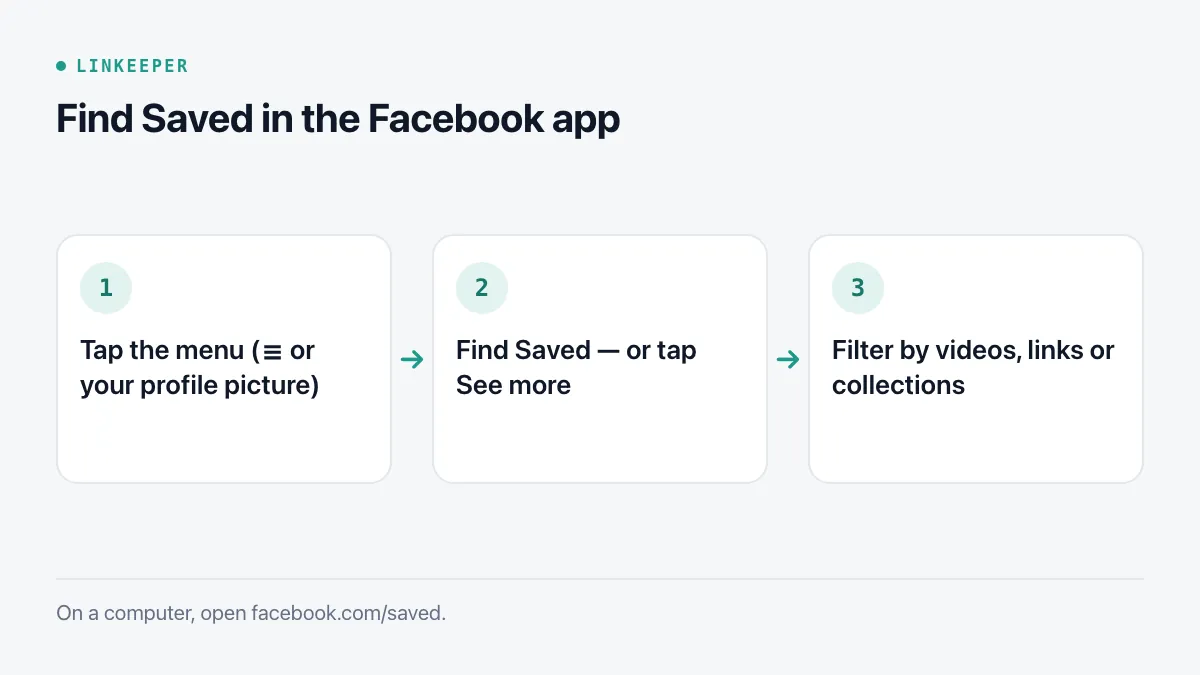
- 1Open the Facebook app and tap the menu icon. On iPhone it is usually at the bottom right (three lines or your profile picture); on Android it is at the top right.
- 2Look for Saved in the list of shortcuts. If you do not see it, tap See more — Facebook hides less-used shortcuts there.
- 3The Saved screen shows your most recent items first. Use the tabs or filters at the top to switch between all items, videos, links and your collections.
How do I see saved posts on a computer?
On the web, the fastest route is the address facebook.com/saved. You can also click Saved in the left-hand column of the home feed (under See more if it is collapsed).
The web view has a sidebar with your collections, which makes it the easier place to tidy up a long list: you can hover over an item to move it into a collection or remove it.
How do I save a post in the first place?
- 1Tap the three dots in the top right corner of a post.
- 2Choose Save post (for videos it may say Save video, for links Save link).
- 3Optionally, tap the prompt that appears to add it to a collection right away.
A saved item is private: the person who posted it is not told, and only you can see your Saved list unless you deliberately share a collection.
How do collections inside Saved work?
Collections are folders inside Saved. Each item can be in a collection, and Facebook also suggests a few automatic ones. To create your own:
- 1Open Saved and go to the Collections tab or section.
- 2Tap Create collection (or the + button) and give it a name, for example Recipes or Trip ideas.
- 3Open any saved item's three-dot menu and choose Add to collection.
Collections can be shared with friends and made collaborative, which is useful for planning a trip together. Keep them few and broad — a handful of collections you actually open beats twenty you never look at. Our guide on tags versus folders explains why.
Why did a saved post disappear?
Saved stores a pointer to the post, not a copy of it. If the original changes, your saved item changes with it:
- The author deleted the post, or deleted their account.
- The author changed who can see it — a public post switched to Friends only is no longer visible to you if you are not their friend.
- A group was made private or you left it.
- The post was removed for breaking Facebook's rules.
There is no way to recover a saved item whose original is gone. If something matters to you, copy what you need while it is still there.
Can I export my saved list?
Partly. Facebook's Download your information tool (in Accounts Center, under Your information and permissions) can include saved items and collections in the archive. The result is a large ZIP file with HTML or JSON pages; it is a record of what you saved, but not a comfortable way to browse or search it.
For individual posts, a simpler habit is to copy the link:
- 1Open the post and tap Share.
- 2Choose Copy link.
- 3Paste it wherever you keep things you want to come back to — a note, a document, or a link-saving app.
A copied link has the same weakness as Saved — it stops working if the post is deleted — but it lives outside Facebook, next to your other links, and you can add your own note about why you kept it.
Where Linkeeper helps
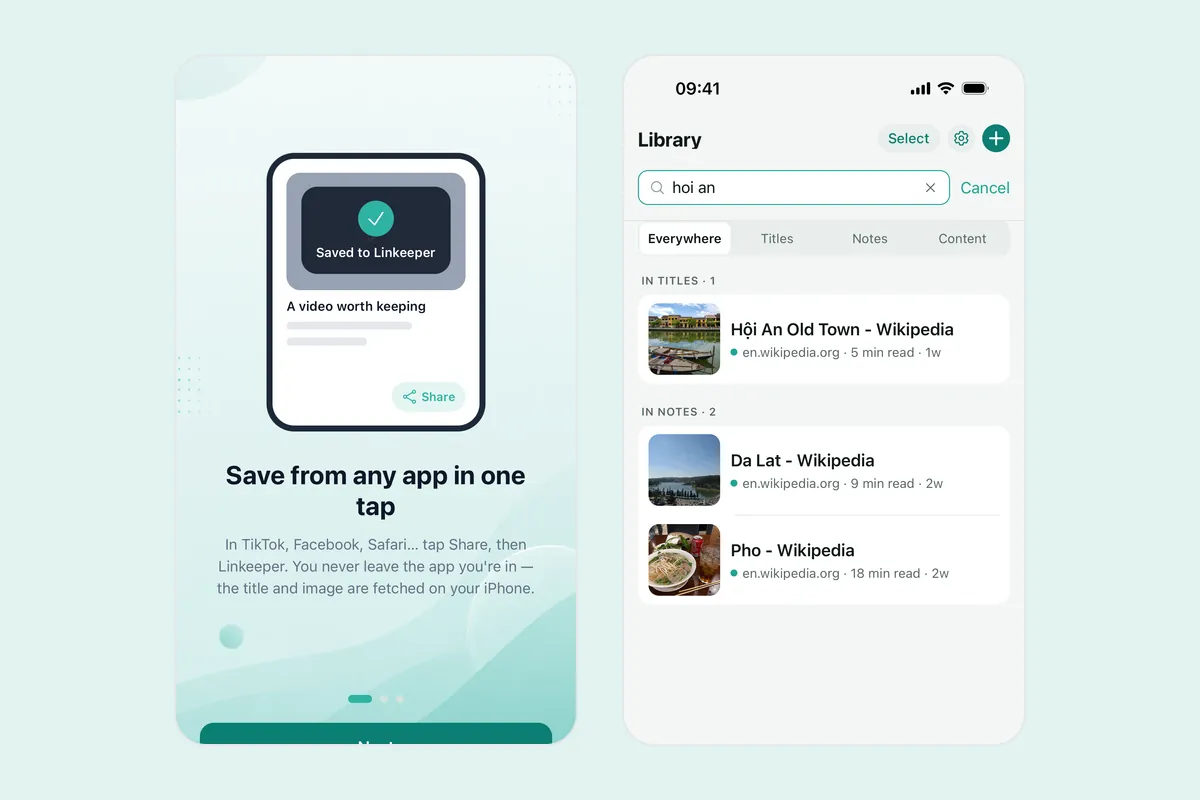
If your saved things are spread across Facebook, TikTok, Instagram and Safari, each app's own Saved tab works a little differently. Linkeeper keeps them in one list on your phone.
- In Facebook, tap Share on a post, then choose Linkeeper from the share sheet. The link is saved without opening the app, and the title and thumbnail are fetched for you.
- Links are tagged automatically by source, and you can add your own tags or put them in collections.
- Search works offline and ignores Vietnamese diacritics, so "cong thuc" finds "Công thức".
- No account is needed; everything is stored on your device first.
For the full walkthrough of saving from several social apps at once, see how to save TikTok, Instagram and Facebook links. Questions about sync or privacy are answered in the FAQ.