
How to save Shopee and TikTok Shop products to buy later
Published · 7 min read
To save Shopee and TikTok Shop products to buy later on iPhone, copy each product's link from the Share button, keep every link in one wishlist, and write the size, colour and the price you saw in a short note. A link app such as Linkeeper saves the product straight from the share sheet and lets you search the whole list offline; the built-in alternative is each shop's own heart or cart, plus one running note in Apple Notes.
Most of us “save” products by taking a screenshot or leaving them in the cart, and both fail at the moment that matters: on payday, during a sale, or when someone asks what you want for your birthday. This guide shows the options your shopping apps already give you, why they get messy, and a simple wishlist routine that works across every shop.
Why do products you meant to buy get lost?
You see a pair of shoes in a TikTok live, a phone case on Shopee and a jacket on a brand's website. A week later the shoes are “somewhere in TikTok”, the case is buried in a cart of 40 items, and the jacket is a screenshot without a link. The usual reasons:
- Every shop keeps its own heart list and its own cart, so one wishlist is split across three or four apps.
- A screenshot has the picture but not the link. Finding the product again means searching the shop and guessing which of twenty similar listings it was.
- A cart is not a wishlist. Items you might buy sit next to items you will buy, and the cart grows until you stop opening it.
- Prices, sizes and stock change. If you didn't write down the price you saw, you can't tell whether today's “sale” is really cheaper.
How do I save a product inside Shopee, TikTok Shop or Lazada?
Each shopping app has a quick way to keep a product. They are good enough when you only shop in one place:
- 1Shopee: tap the heart on a product page to like it. Liked products are listed under your Me tab, in the Liked section, where you can open them again and see the current price.
- 2Lazada: tap the heart on the product page to add it to your Wishlist, which you'll find in your account.
- 3TikTok Shop: add the product to your cart, or tap Share on the product page and choose Copy link so you can keep it outside TikTok. Where TikTok keeps videos you bookmark is covered in how to find saved videos on TikTok.
- 4A store's website in Safari: tap Share → Add Bookmark, or Share → Notes to drop the link into a note you keep for shopping.
How do I keep one wishlist across every shop?
Four habits turn scattered hearts and screenshots into a wishlist you can actually use:
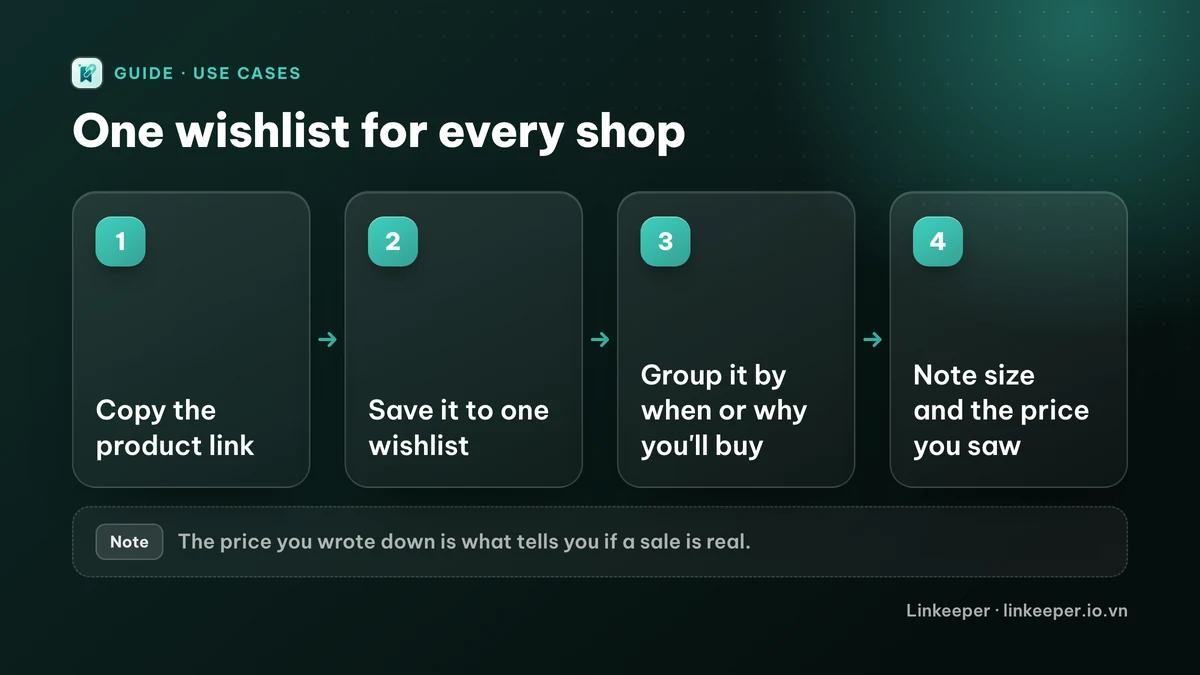
- 1Copy the product link instead of only tapping the heart: Share → Copy link in Shopee, TikTok Shop or Lazada, or the Share button in Safari. A link opens the exact listing; a screenshot doesn't.
- 2Put every product link in one list, whatever shop it came from.
- 3Group by what you'll decide on together: “Buy on payday”, “Gift ideas”, “For the baby”, “Waiting for a sale”. Two or three groups are enough.
- 4Add a one-line note: size or colour, the price you saw and the date, and the shop or seller. When you buy it, mark it done or archive it so the list stays honest.
The same routine works for anything you plan to come back to; the general version is in tags or folders: how to organize bookmarks.
How do I get a product link out of a shopping app?
Shopping apps, like social apps, often open their own share panel first instead of the iPhone share sheet. Two ways around it:
- Look for More, Share via… or the iOS share icon at the end of the app's row of options. That opens the system share sheet, where you can send the link straight to Notes or a link app.
- If the app only offers Copy link, copy it and paste it where you keep your list.
If the app you save to is missing from the share sheet, add it and move it to the front once; after that it's a single tap every time.
How does Linkeeper make it easier?
Linkeeper is built for the “one list for every app” step, so adding a product takes a tap and finding it takes a word.
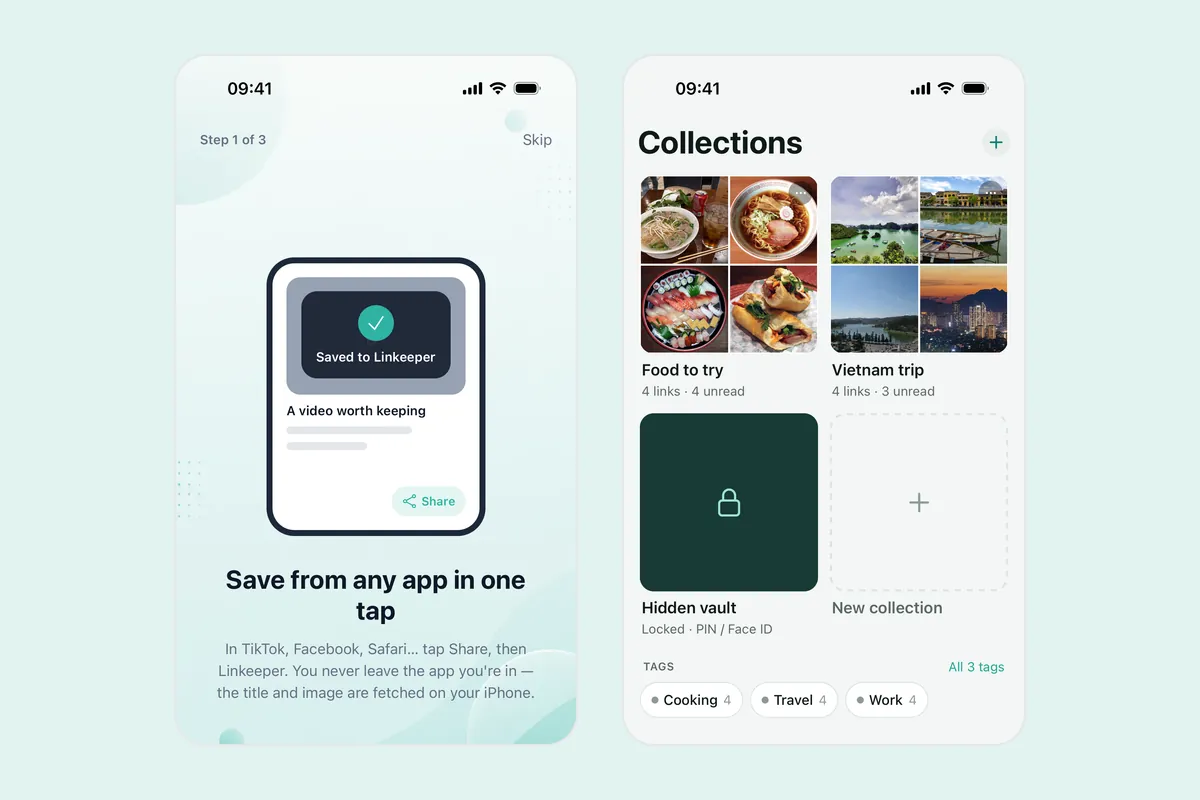
- Share a product from any app that opens the iPhone share sheet, choose Linkeeper, and the link is saved without leaving the shop. The title and thumbnail are filled in when the page provides them; when it doesn't, the link is still saved.
- If a shop only lets you copy the link, open Linkeeper's add screen: it offers to save the link you just copied in one tap, and tells you when that link is already in your library, so the same product isn't saved twice.
- Sort products into collections such as “Buy on payday” or “Gift ideas”, add your own tags, and mark the ones you really want as favorites.
- Each link has a note field for size, colour, the price you saw and a voucher code. Search covers titles and notes, works offline and ignores Vietnamese diacritics, so “ao khoac” finds “Áo khoác”.
- Bought it? Archive the link. It leaves your list but stays searchable if you need to order the same thing again.
- Making a gift list for family or friends? A collection can be shared as a read-only link that opens without an account.
Linkeeper saves the link, not the shop's live data: it does not track prices or tell you when something goes on sale. Your note with the price and date is what lets you compare.
Which way of saving products suits you?
| Shop's heart or cart | Screenshot | Linkeeper | |
|---|---|---|---|
| Products from every shop in one place | No, one list per shop | Yes, in Photos | Yes, from the share sheet |
| Opens the exact listing again | Yes | No link | Yes |
| Note size and the price you saw | No | Only what's in the picture | Yes, in the note |
| Share a gift list | Varies by shop | Send the images | Read-only link to a collection |
If you buy almost everything from one shop, its heart list may be all you need. Once your wishlist comes from three or four places, one list with groups and notes saves the most time. For the same routine applied to food, see how to save recipes from TikTok and Instagram.
Frequently asked questions
- Is it better to keep products in the cart or in a wishlist?
- Use the cart for things you've decided to buy soon and a wishlist for everything else. A cart full of maybes is hard to read, and it only holds products from that one shop.
- Will a saved product link still work later?
- Usually, as long as the seller keeps the listing. If the product is removed or the shop closes, the link stops working anywhere you saved it. Your note with the name, variant and seller helps you find the same item elsewhere.
- Does Linkeeper tell me when a price drops?
- No. Linkeeper keeps the link, title, thumbnail and your note; it doesn't check prices. Write the price and date in the note when you save, and compare when you open the link again.
- Do I need an account to keep a wishlist in Linkeeper?
- No. Links, notes, tags and collections are stored on your iPhone first. Signing in with Apple or Google is optional and only used to sync your library between devices.