
How to find and remove duplicate bookmarks on iPhone
Published · 6 min read
Safari on iPhone has no built-in tool to find or merge duplicate bookmarks. You spot repeats by searching or scrolling, then delete them one by one in Bookmarks → Edit. To stop new duplicates, use an app that checks whether a link is already saved: Linkeeper does this for links you add or share, and for files you import.
Duplicates usually appear after you merge bookmarks from several browsers, import an old export, or save the same article from different apps. This guide covers the cleanup in Safari, then what Linkeeper does and does not catch.
Why do I have duplicate bookmarks?
Repeats almost always come from one of these:
- You moved bookmarks from another browser and some were already in Safari. How to move Chrome, Edge or Firefox bookmarks to your iPhone covers that move.
- You imported an old export, for example from Pocket, on top of links you had already saved.
- The same page was saved from different places: a share sheet, a chat, a social app.
- The same page has several addresses: with and without “www”, with a tracking tail such as ?utm_source=…, or a short link and a full one.
How do I find and delete duplicate bookmarks in Safari?
Safari does not flag duplicates, so this is a manual job. Searching for the site name is the fastest way to see every copy:
- 1Open Safari and tap the Bookmarks button (the open book).
- 2Pull the list down a little to show the search field and type the site's name, for example “nytimes”. Every bookmark whose title or address matches is listed together, so repeats sit next to each other.
- 3Go back to the folder that holds the copy you want to remove, tap Edit, then tap the red minus button next to the duplicate and tap Delete.
- 4Tap Done. Check that you removed a single page and not a whole folder, because deleting a folder deletes the bookmarks inside it.
Doing this for a few hundred bookmarks is slow. If your list is that long, it is usually quicker to import it into an app that skips repeats for you, as below.
How does Linkeeper stop duplicates?
Linkeeper compares a new link with your library before it is saved, in three places:
- Add a link by hand: if the same address is already saved, the preview shows “Already in your library” and the button becomes “Open saved link”, so you land on the existing one instead of creating a second copy.
- Share sheet: a link you share from Safari or another app is saved once. If the same address is already in your library, no second copy is made.
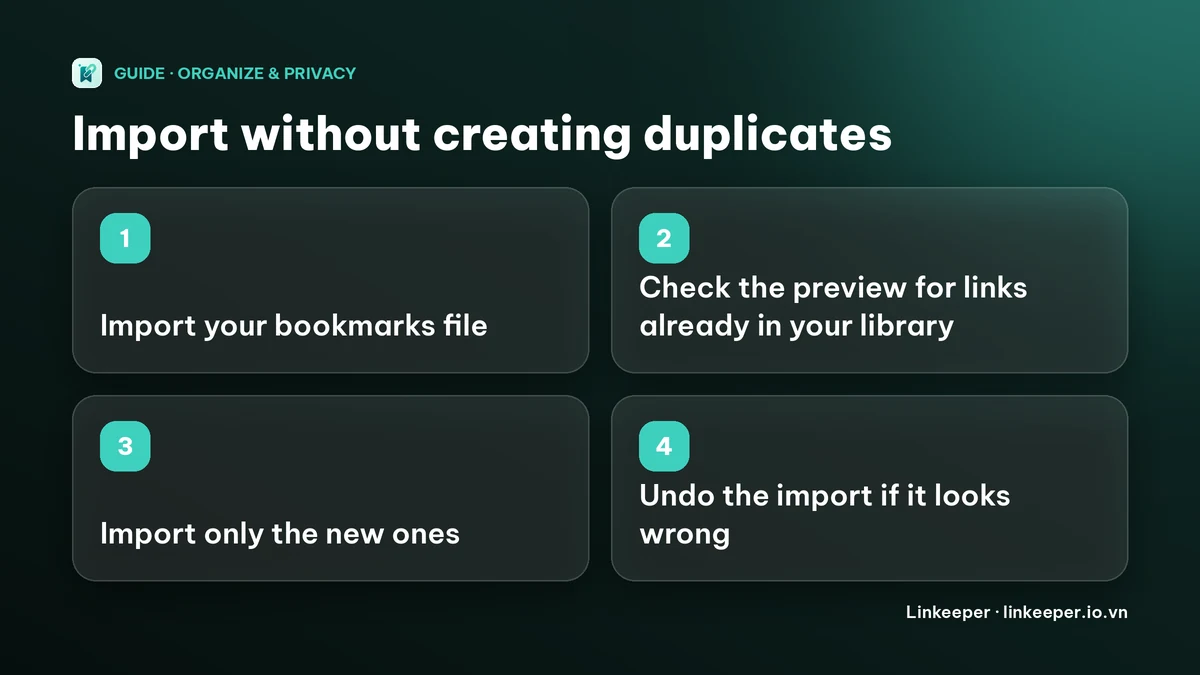
- Import: when you import a bookmarks file or a Pocket, TikTok or Instagram export, the preview tells you how many links are “already in your library — skipped”. It also skips repeats inside the file itself.
What does Linkeeper not catch?
Being clear about the limits avoids surprises:
- When you add or share a link, the match is on the exact web address. The same page with a different tracking tail, or with and without “www”, can be saved as two links.
- On import the match is smarter: it ignores common tracking parameters (such as utm_ ones and fbclid), “www.” and “m.”, a trailing slash, and it treats youtu.be and youtube.com links to the same video, and the same TikTok or Instagram post, as one.
- There is no button that scans your whole library and merges duplicates. If copies are already in, clean them up by hand.
How do I clean up duplicates already in Linkeeper?
- 1In the Library, open the sort menu and choose By website (or Name A–Z), so copies of the same page sit next to each other.
- 2Long-press a link to start selecting, then tap the others you want to remove.
- 3Use Delete in the selection bar and confirm. Deleting cannot be undone, so check the selection first. Archive is the safer choice if you are not sure; archived links can be shown again from the Filter.
Searching works too: type the site or a word from the title and every copy appears in one list. How to find a saved link on iPhone explains the search scopes.
How do I import without making a mess?
- 1Import into Linkeeper first, not into a second browser. Settings → Library → Import from other apps, then pick the file.
- 2Read the preview before you confirm: it shows how many links are new and how many are skipped as already in your library.
- 3If the result is not what you expected, use Undo import. It removes only the links that import added; links you saved before stay.
For tags and folders after the import, see tags or folders: how to organize bookmarks. For a Pocket file in particular, see what to do with your Pocket export.
Frequently asked questions
- Does Safari have a way to find duplicate bookmarks?
- Not a built-in one. You can search the Bookmarks screen for a site's name to see repeats together, then delete the extras one by one with Edit.
- Will Linkeeper save the same link twice?
- Not when the web address is identical. A link you add by hand shows “Already in your library”, and a link you share is saved once. Addresses that differ, for example by a tracking parameter, can still be saved as separate links, although imports compare them more loosely.
- Can Linkeeper remove all my duplicates automatically?
- No. There is no merge-duplicates button. Sort the Library by website, select the extra copies and delete them, or archive them if you are not sure.
- Can I undo a bulk delete in Linkeeper?
- No, deleting links asks for confirmation and cannot be undone. An import can be undone with Undo import, which removes only the links that import added.